MacBook
Homebrew
What is Homebrew?
Answer:
1: Package manager for Mac.
2: Used to install or uninstall thousands of apps or programs on macOS.
Is it safe to install Mac apps via Homebrew?
Answer: Yes
1: Most widely used package manager on macOS.
2: Non-profit member of the Software Freedom Conservancy (SFC) foundation.
Install Homebrew MacBook
1: Open the Terminal on the MacBook.
2: Open the Homebrew website.
Website: https://brew.sh/
3: Install Homebrew.
Command: /bin/bash -c “$(curl -fsSL https://raw.githubusercontent.com/Homebrew/install/HEAD/install.sh)”.
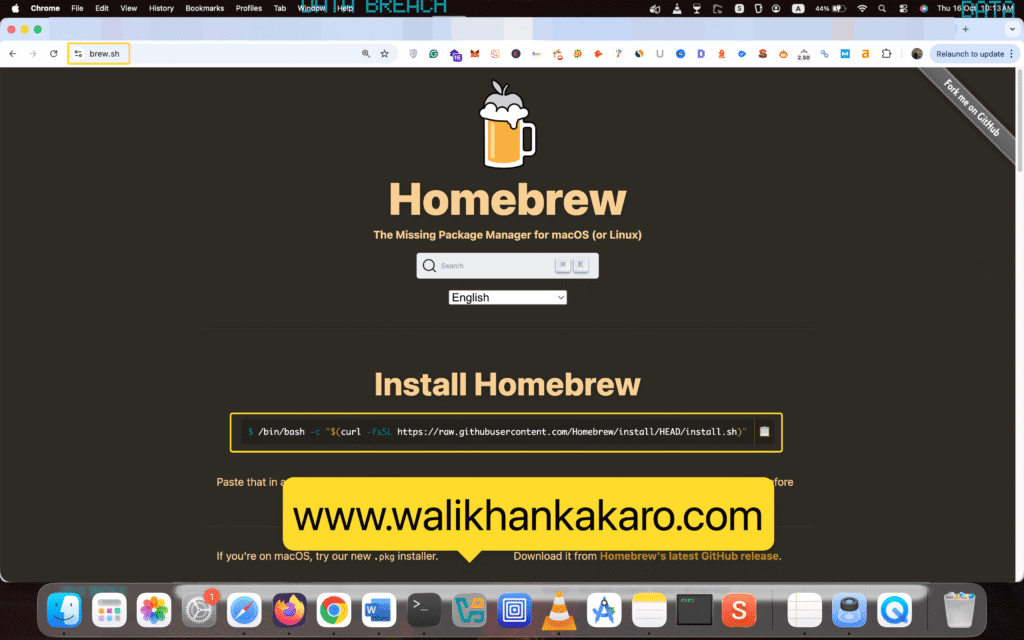
4: Press Enter to start the Homebrew installation.
5: Update the Homebrew.
Command: brew update
6: Reinstall the software.
Command: brew reinstall autopsy
Note: Autopsy is the Digital Forensics software.
7: Uninstall the software.
Command: brew uninstall autopsy
Install vmware workstation on macbook pro
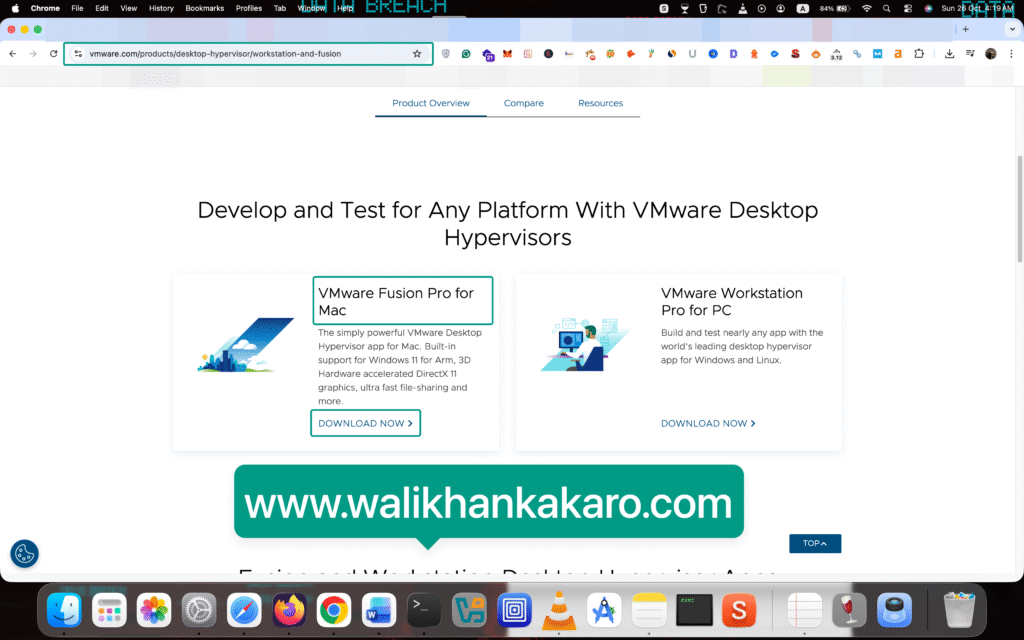
1: Go to the VMware Fusion Pro for Mac.
Website: https://www.vmware.com/products/desktop-hypervisor/workstation-and-fusion
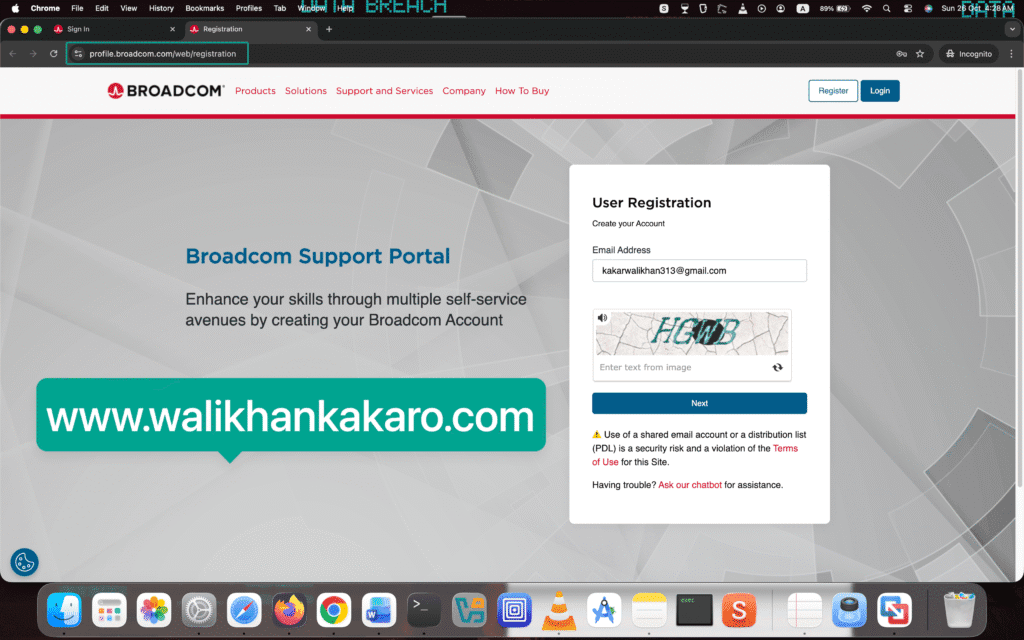
2: Create a Broadcom account.
Website: https://profile.broadcom.com/web/registration
3: Log in to the Broadcom account.
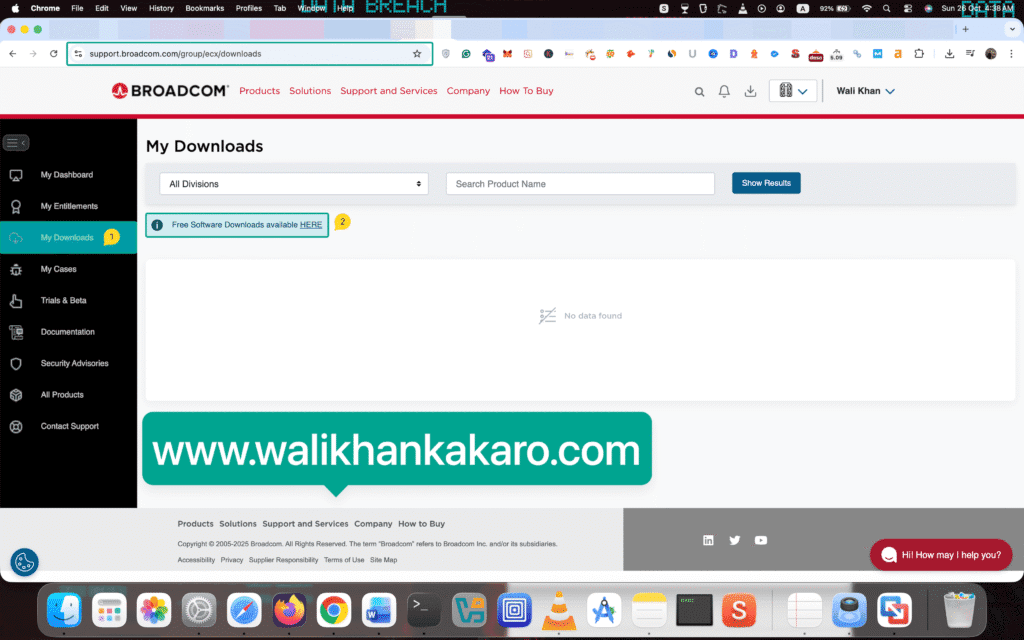
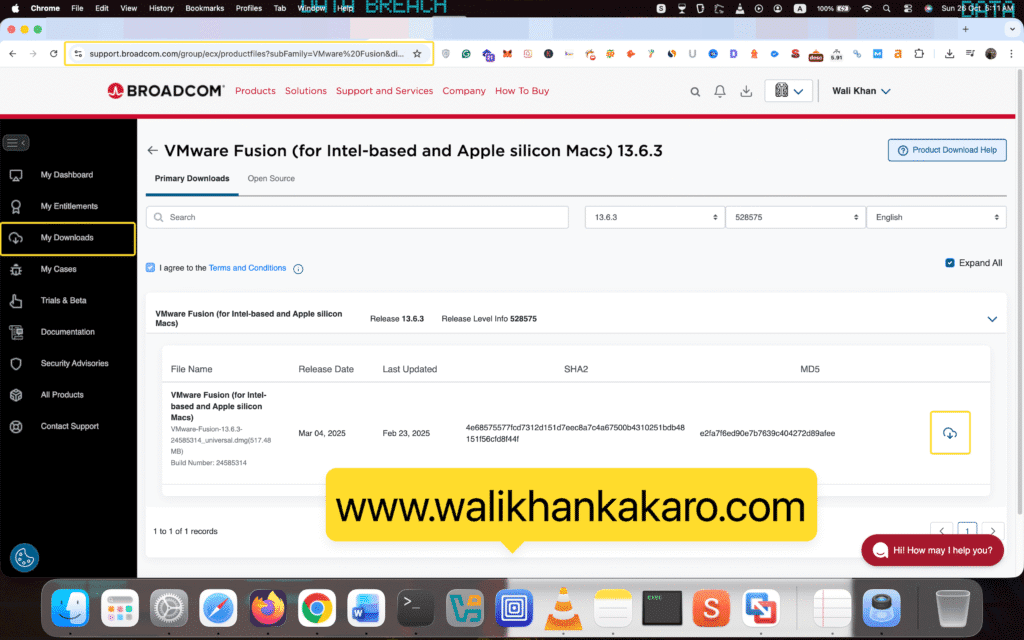
4: Click on the My Downloads in the Broadcom.
5: Click on the Free Software Downloads available HERE.
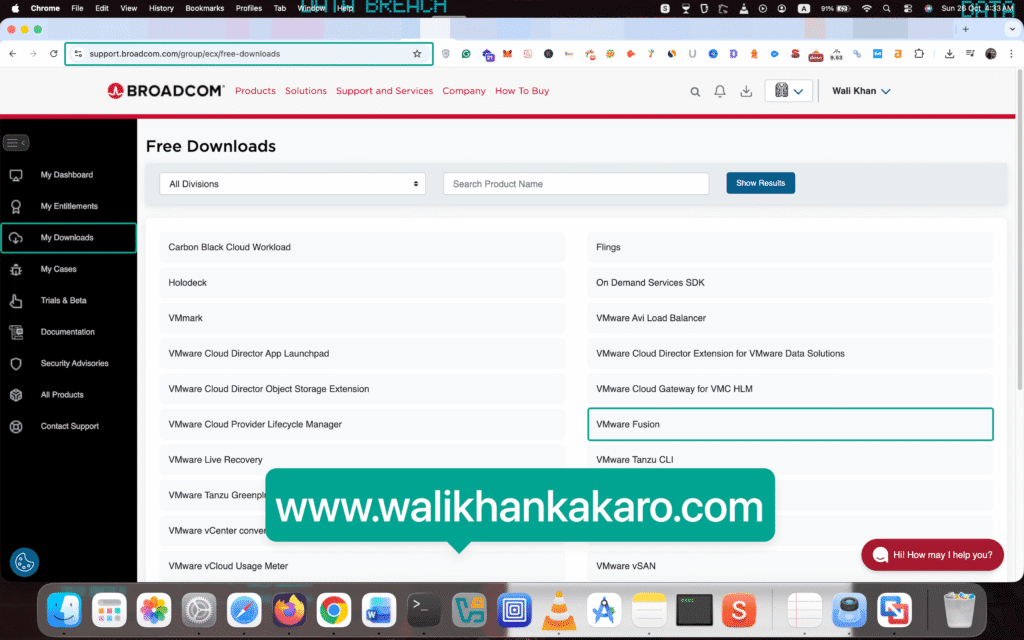
6: Open the VMWare Fusion.
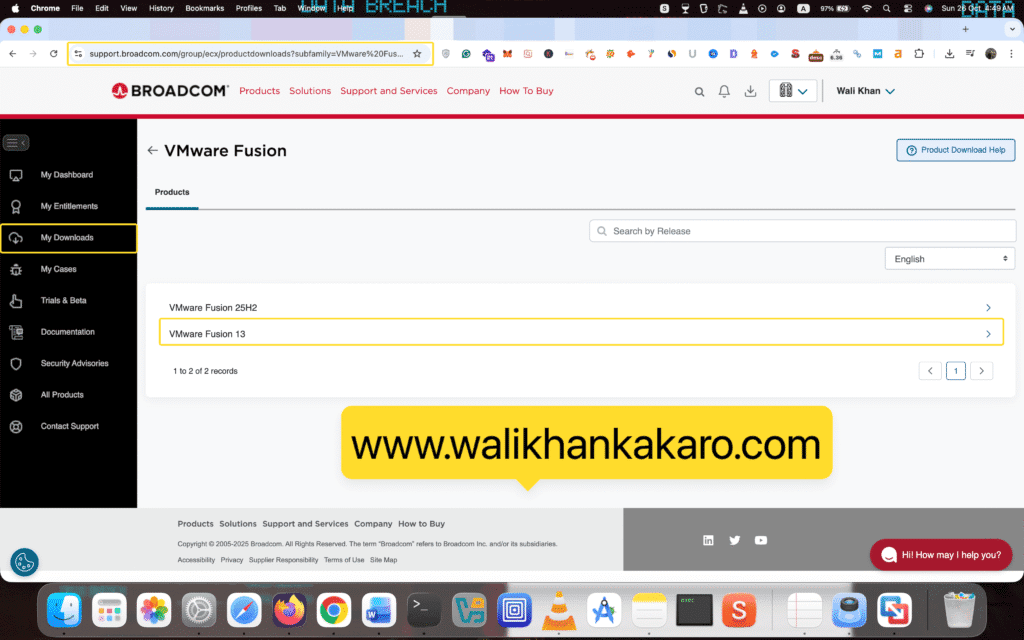
7: Click on the VMware Fusion 13.
8: Download the VMware Workstation latest version.

9: Click on the Terms and Conditions and tick the I agree to the Terms and Conditions.
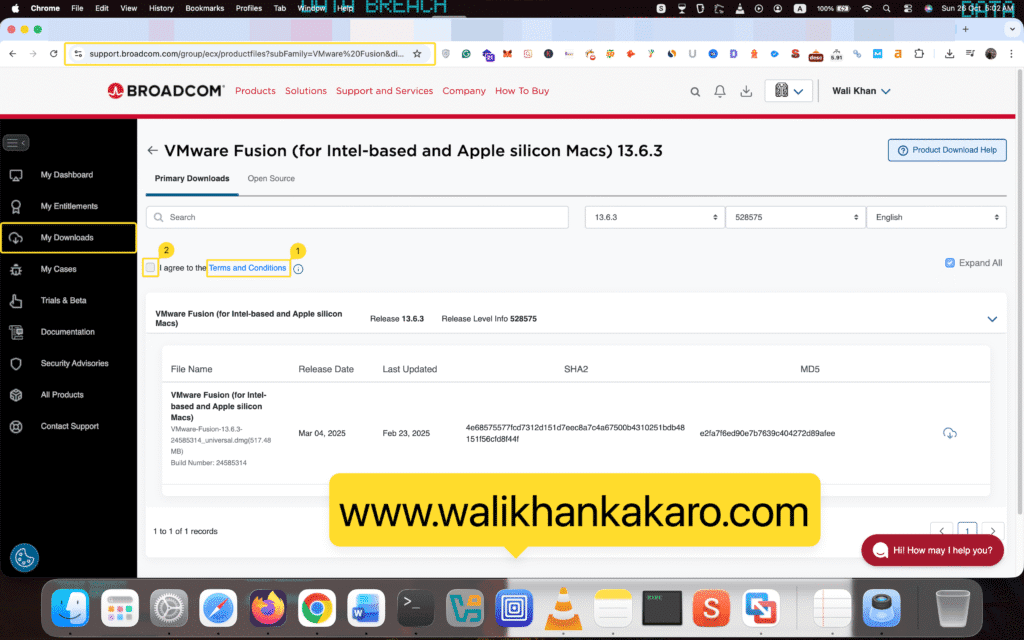
10: Download VMware Fusion.
11: Install VMware Fusion.

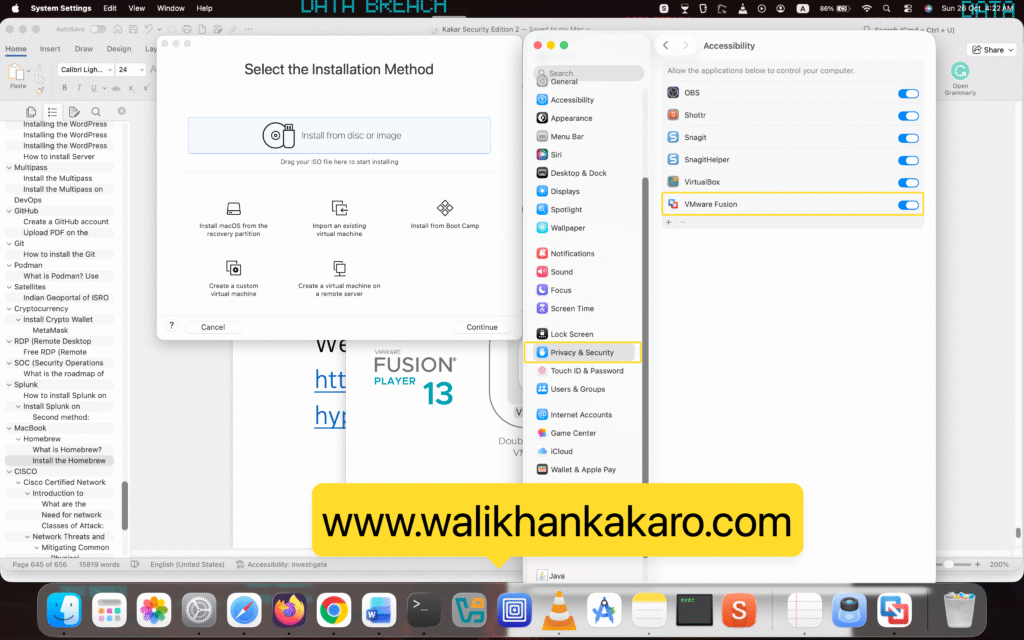
12: Click on the Open System Settings.
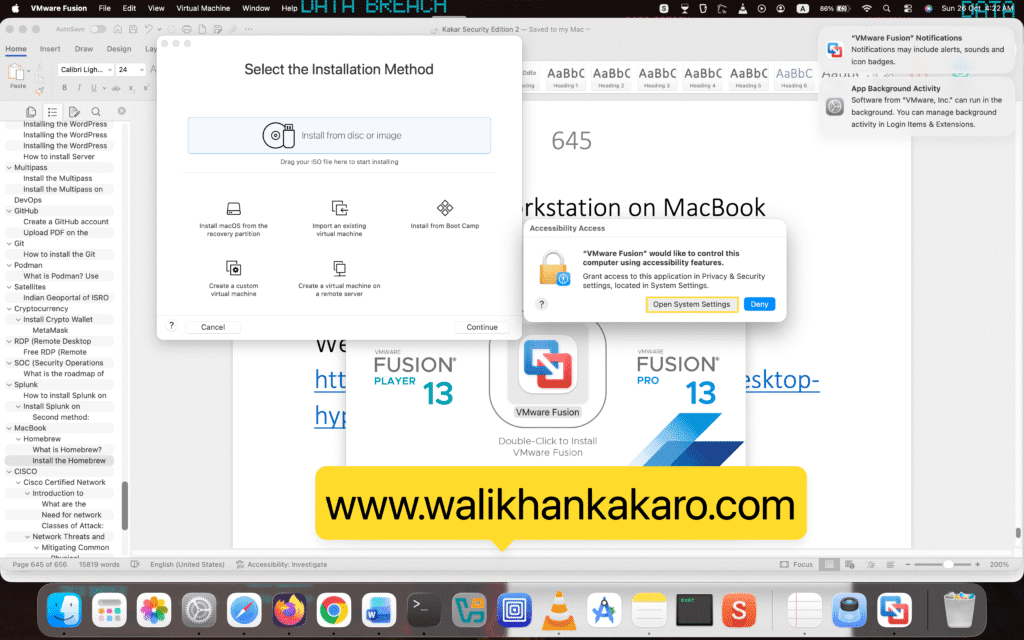
13: Allow the permission to VMware Fusion.