WordPress two-factor authentication
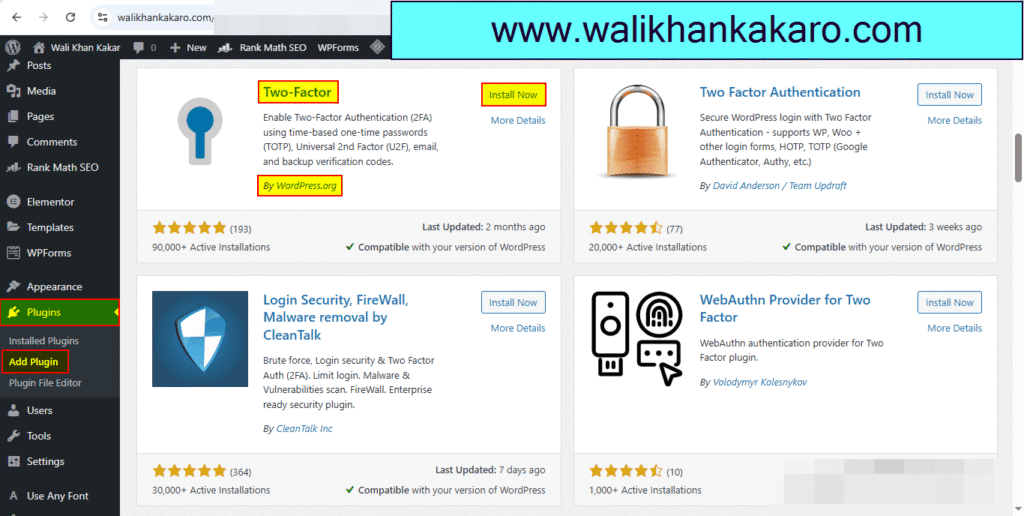
1: Install the Two-Factor plugin.
Name: Two-Factor
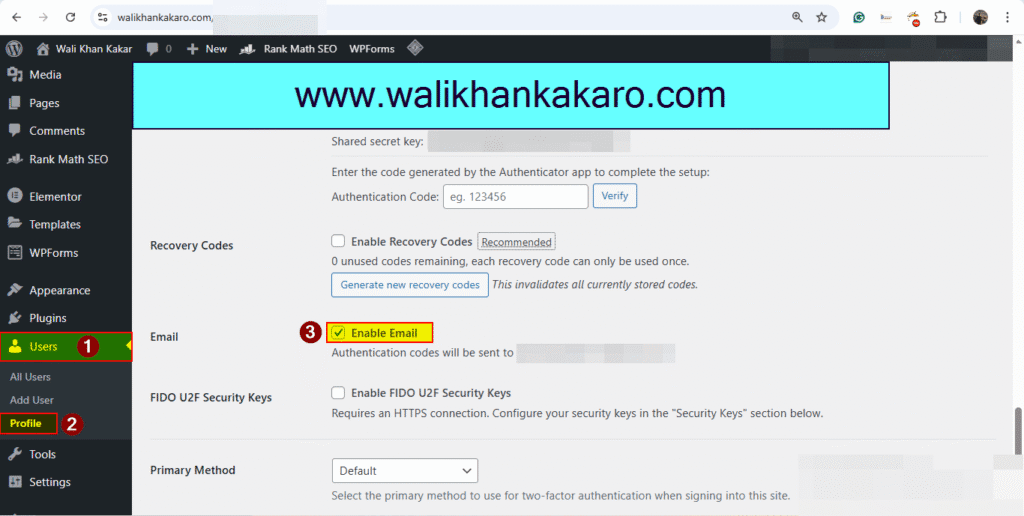
2: After installation, go to User, then Profile.
3: Active Email Authentication.
4: Update Profile.

1: Install the Two-Factor plugin.
Name: Two-Factor
2: After installation, go to User, then Profile.
3: Active Email Authentication.
4: Update Profile.
