distinct and order by in SQL
1: Open the MySQL Workbench.
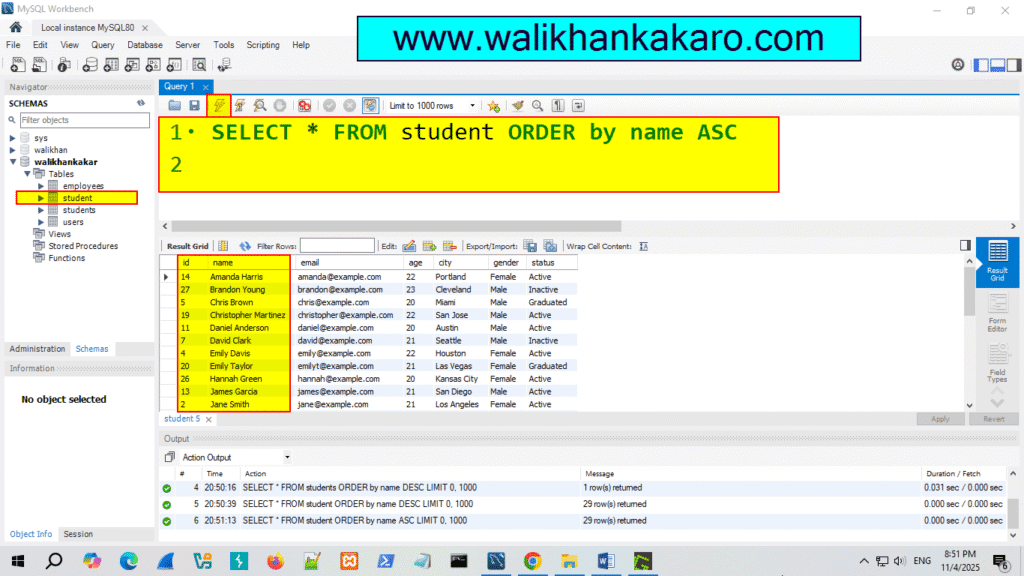
2: Check the names in the Ascending style.
Code: SELECT * FROM student ORDER by name ASC
3: Execute the command.
Shortcut key: Ctrl + Enter
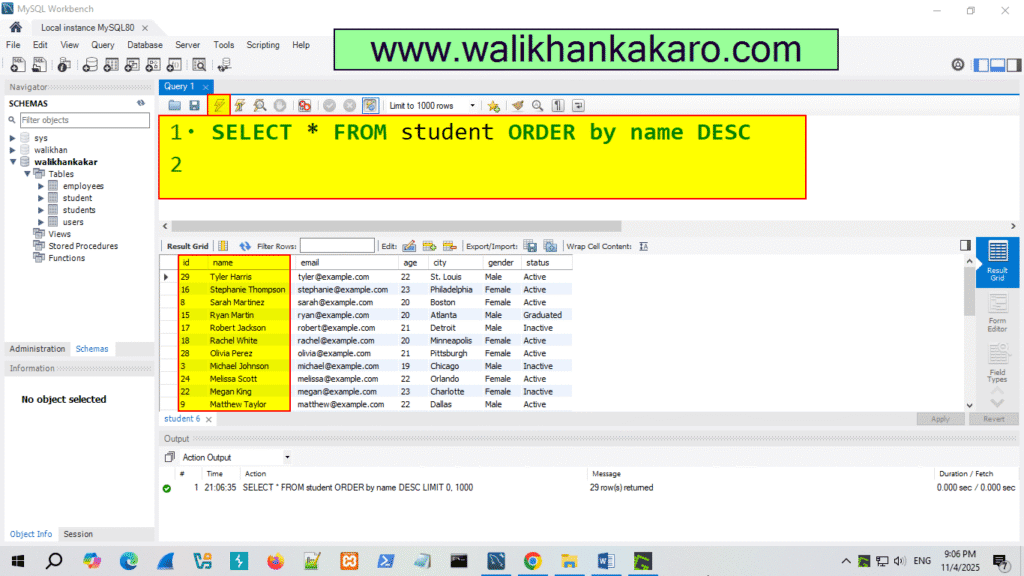
4: Check the names in the Descending style.
Code: SELECT * FROM student ORDER by name DESC
5: Execute the command.
Shortcut key: Ctrl + Enter
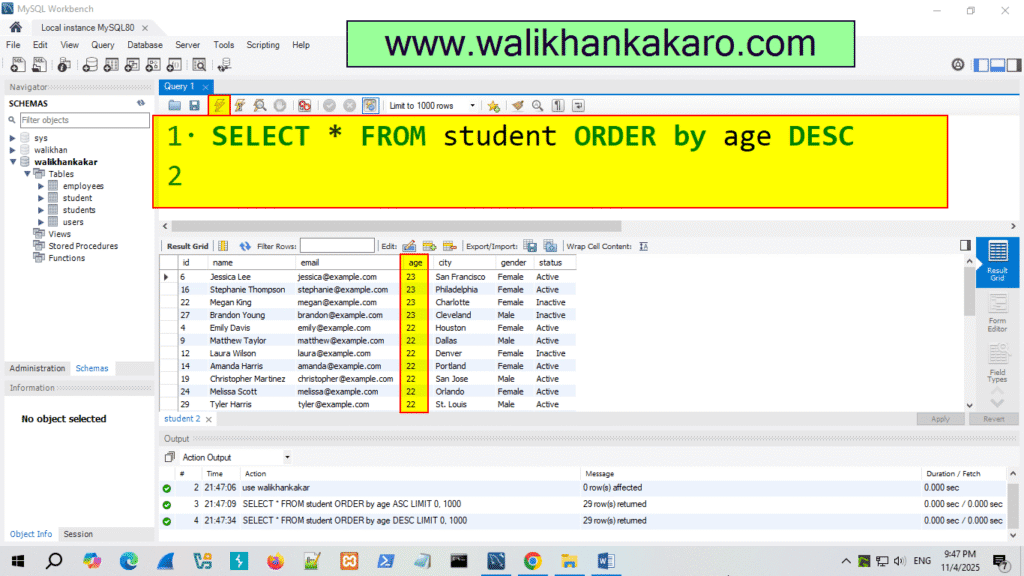
6: Same procedure for age.
Ascending style Code: SELECT * FROM student ORDER by age ASC
Descending style Code: SELECT * FROM student ORDER by age DESC
7: Execute the command.
Shortcut key: Ctrl + Enter
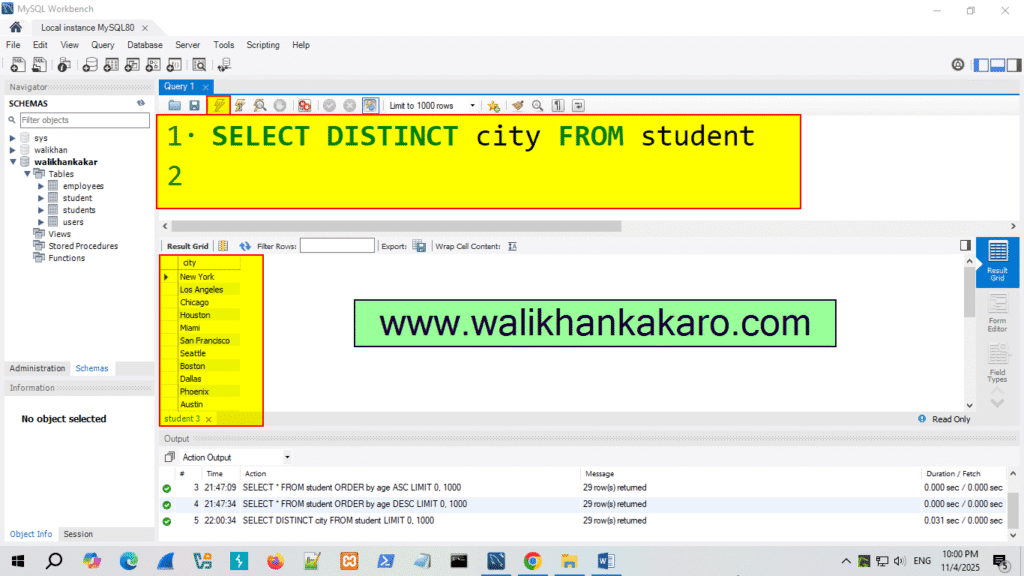
8: Check the unique city names.
Code: SELECT DISTINCT city FROM student
9: Execute the command.
Shortcut key: Ctrl + Enter
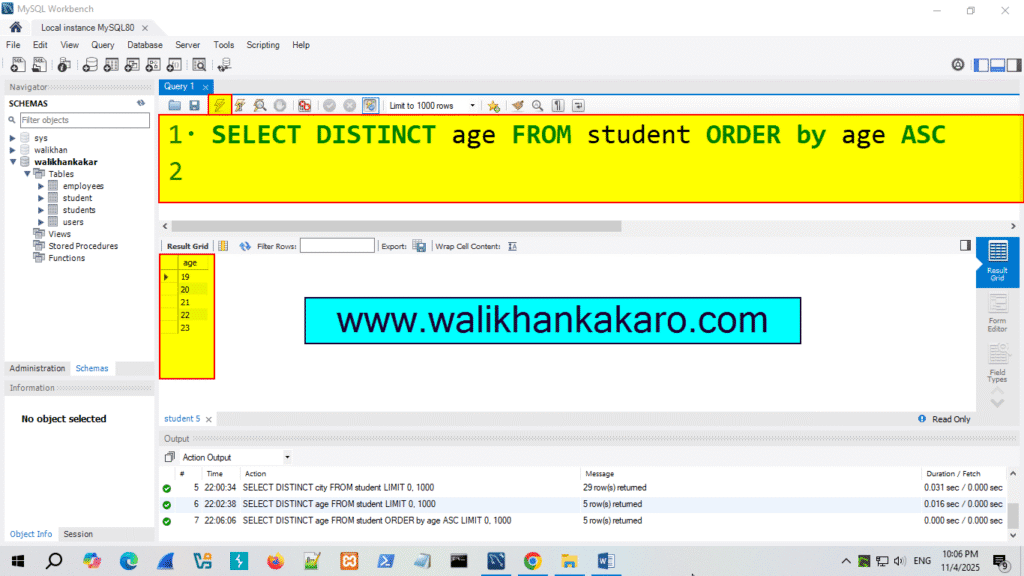
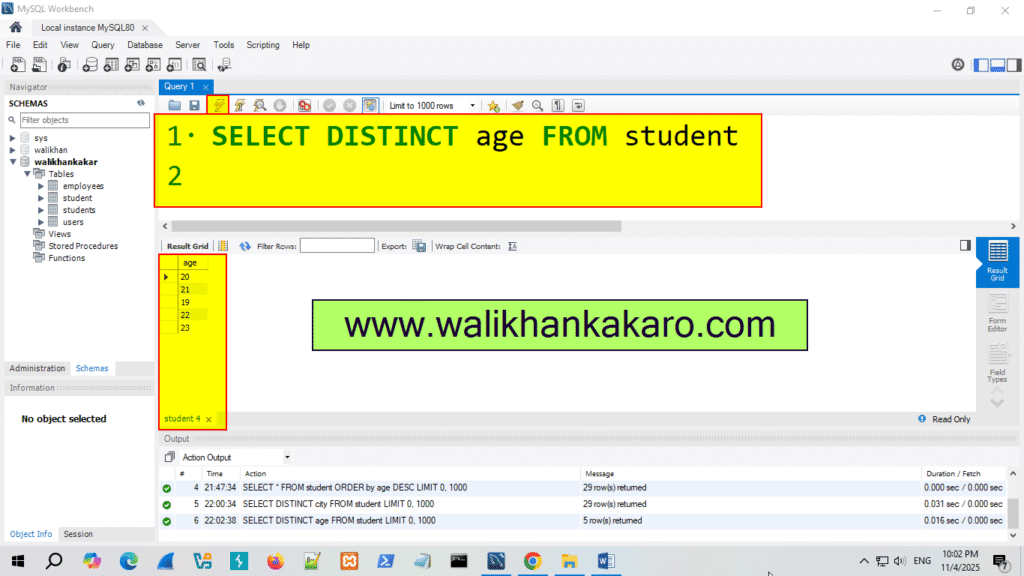
10: Check the Unique age.
Code: SELECT DISTINCT age FROM student
11: Execute the command.
Shortcut key: Ctrl + Enter
12: Check the age by the Ascending style.
Code: SELECT DISTINCT age FROM student ORDER by age ASC
13: Execute the command.
Shortcut key: Ctrl + Enter