
Table of Contents
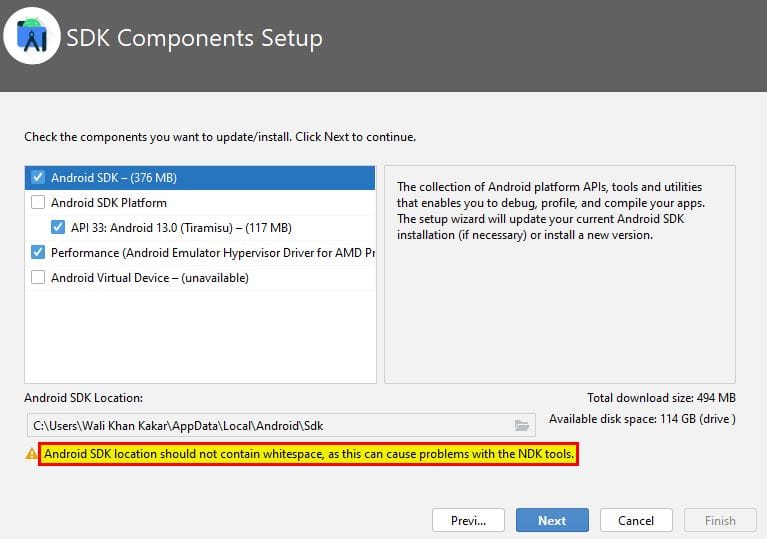
Learn how to resolve the “Android SDK location should not contain whitespace” error by setting a correct SDK path on your system.
Android SDK location should not contain whitespace as this can cause problems with the NDK tools
1: Open Local Disk (C).
2: Create a new folder named AndroidSDK.