Table of Contents
Computer Forensics
What is Forensicator?
Answer: Browsing History, Network, and Network settings, User activities, Event log analysis, System information, Program and services info, RDP logons, Peripheral checks, File history, etc …
1: Download the Forensicator zip file from GitHub.
Note: Off the Real-time protection in the Windows Security.
Website: https://github.com/Johnng007/Live-Forensicator
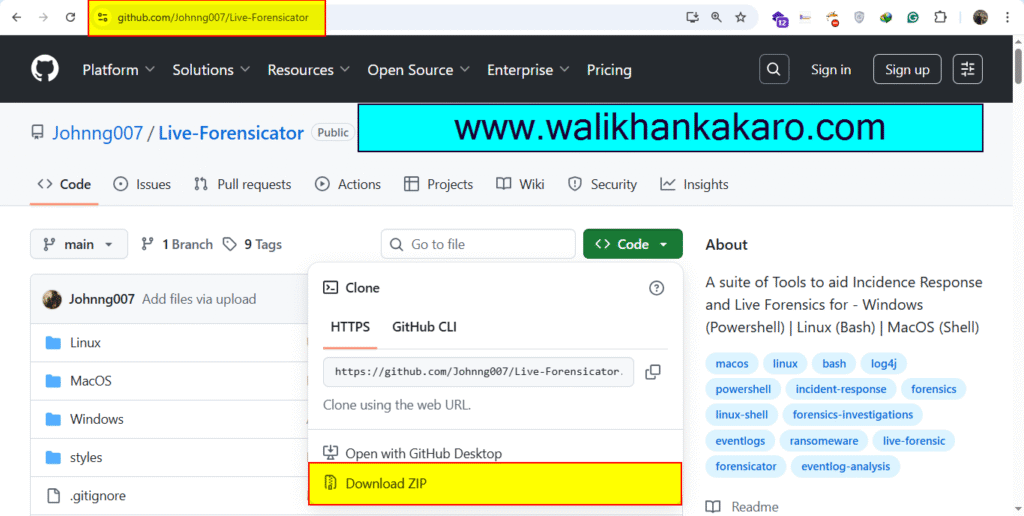
2: Open the Forensicator zip file and copy it to the Desktop.
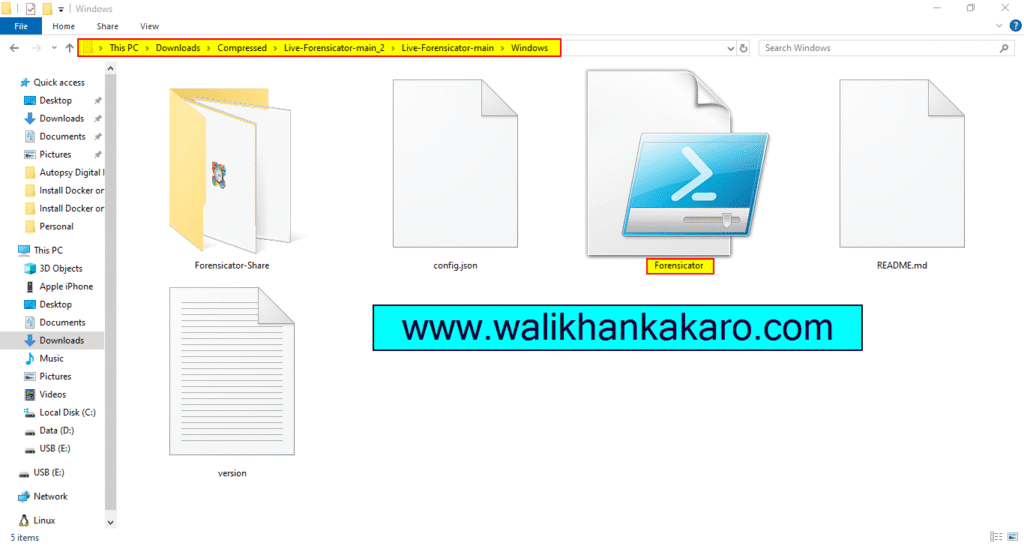
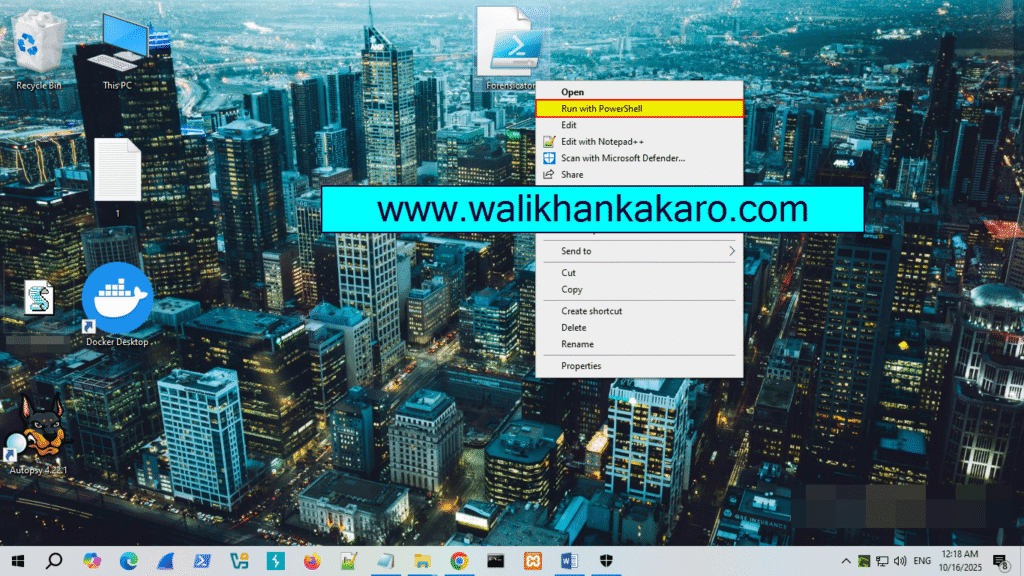
3: Open the Forensicator file in Windows PowerShell.
4: Scan the system in the Forensicator information.
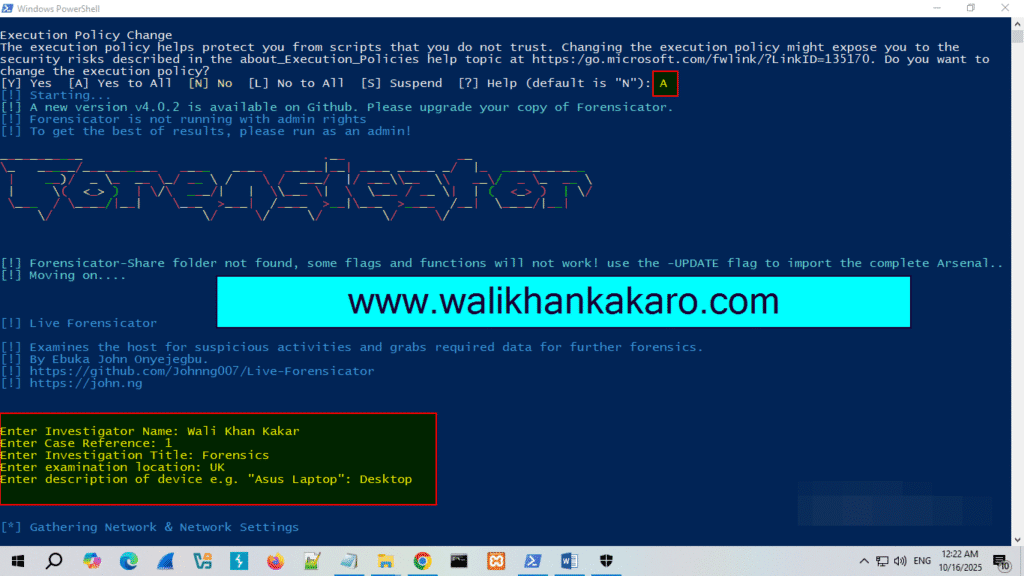
5: Show the system scan information.
Note: Your system-scanning information will be saved from the point you start your Forensicator.
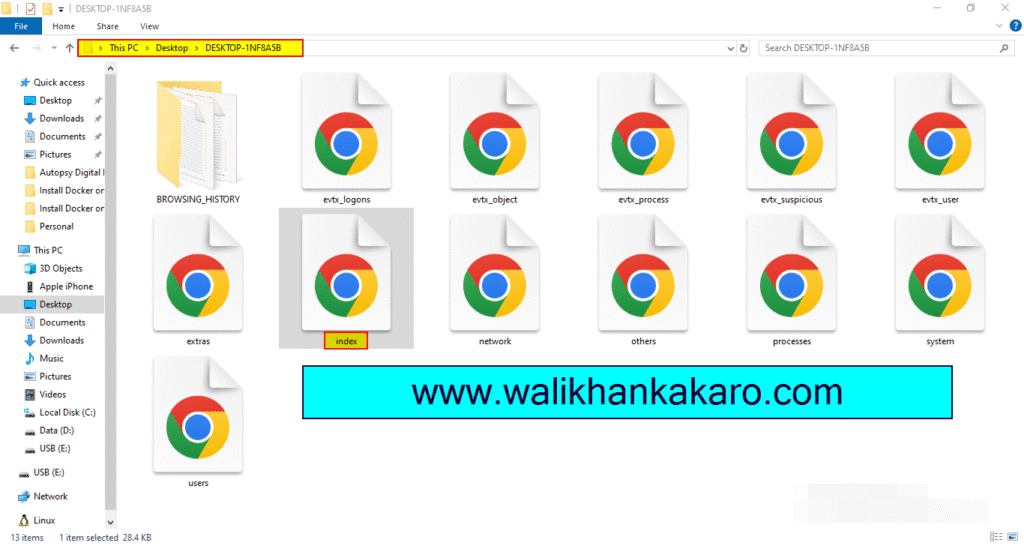
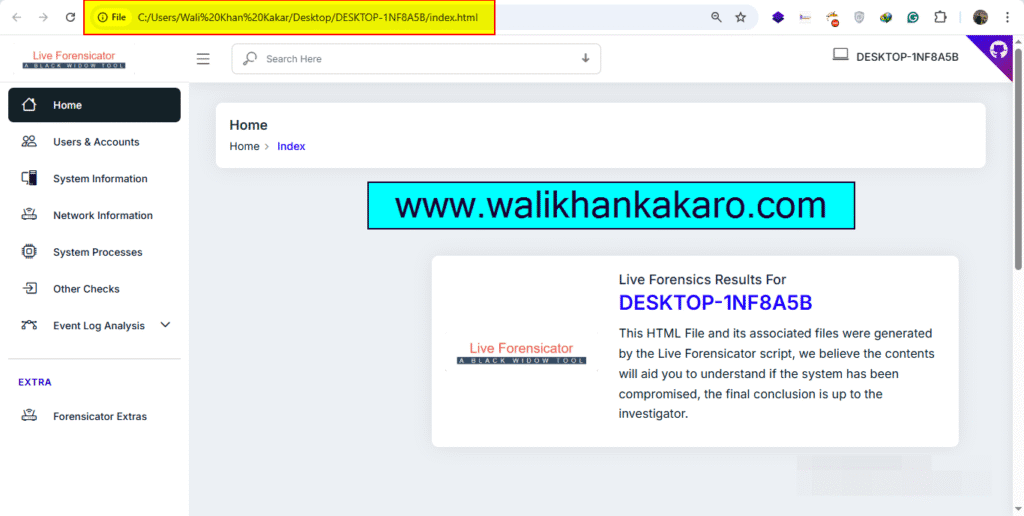
6: Open the index file and check the system-scanned information.