Table of Contents
dvwa brute force
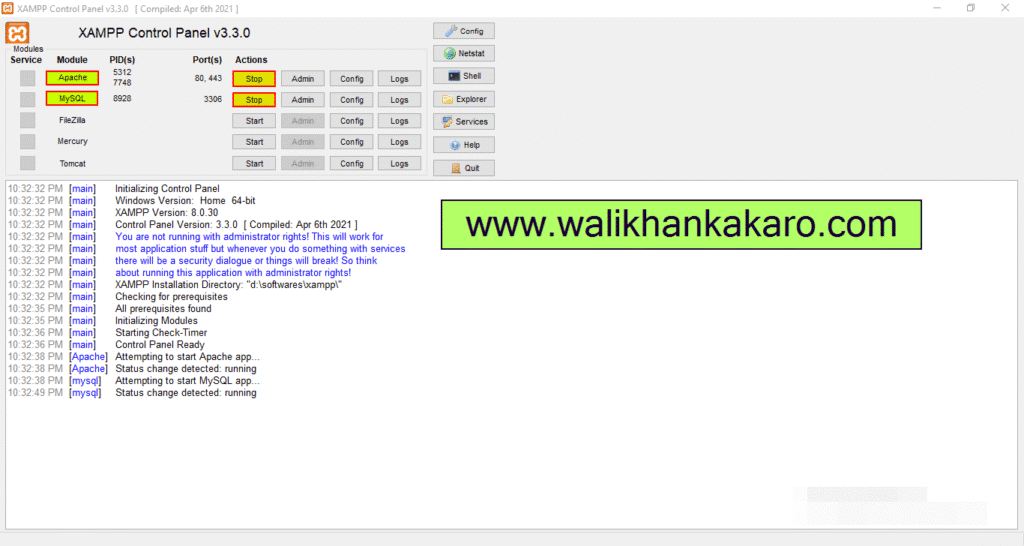
1: Open the XAMPP Control Panel.
2: Activate the Apache and MySQL.
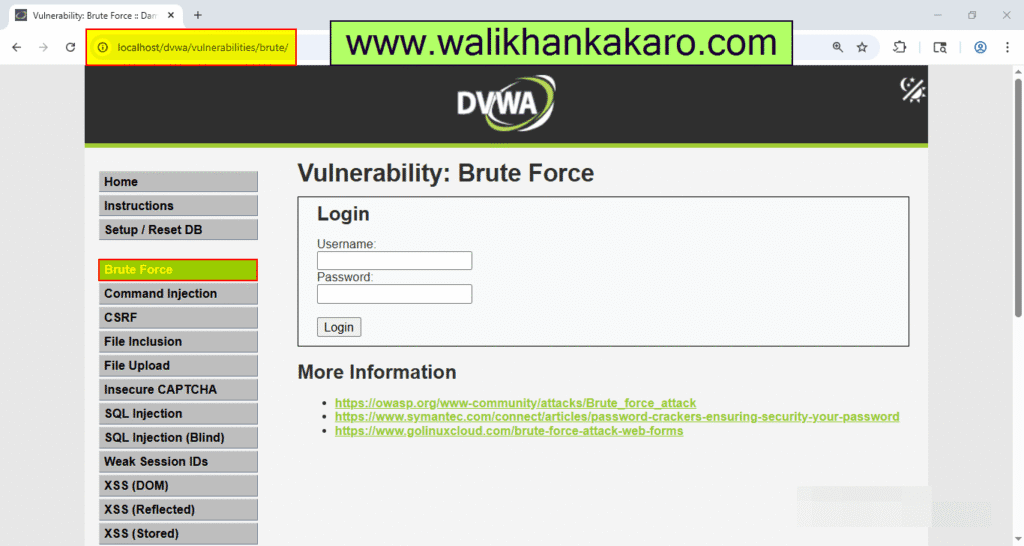
3: Open the DVWA in the Firefox browser and connect with Burp Suite.
Link: http://localhost/dvwa/vulnerabilities/brute/
4: On the Intercept and then send the Request.
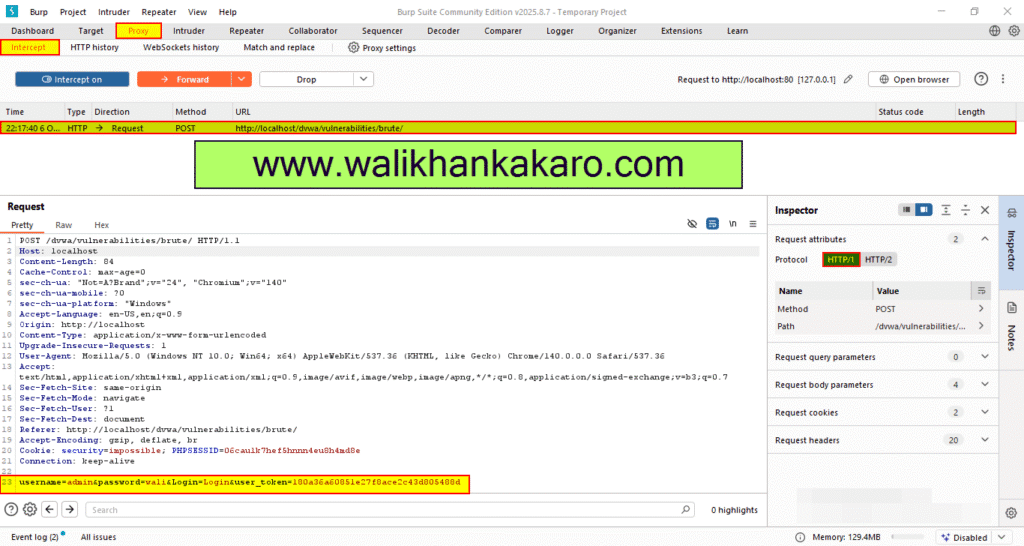
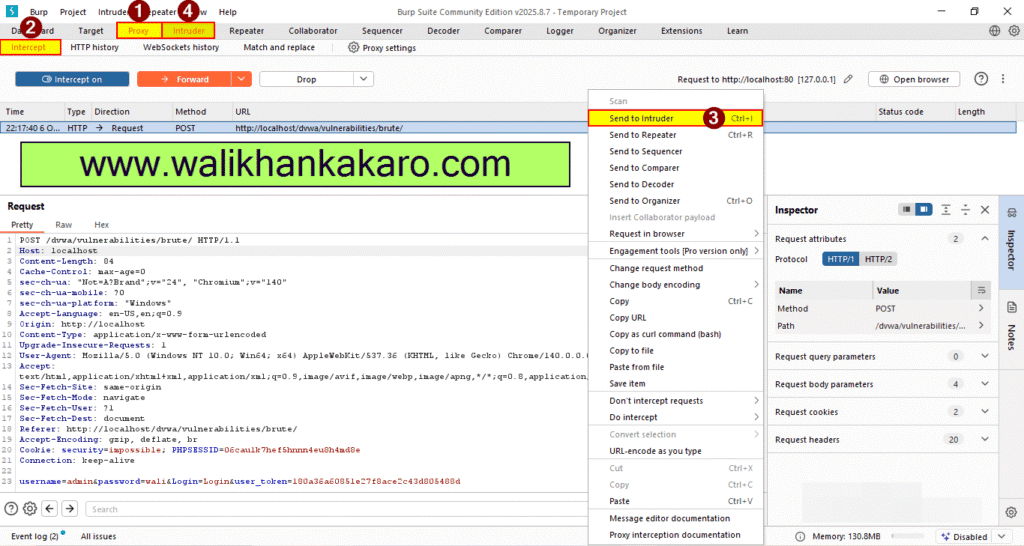
5: Send the Request to the Intruder for the Brute force attack.
Shortcutkey: Ctrl + I
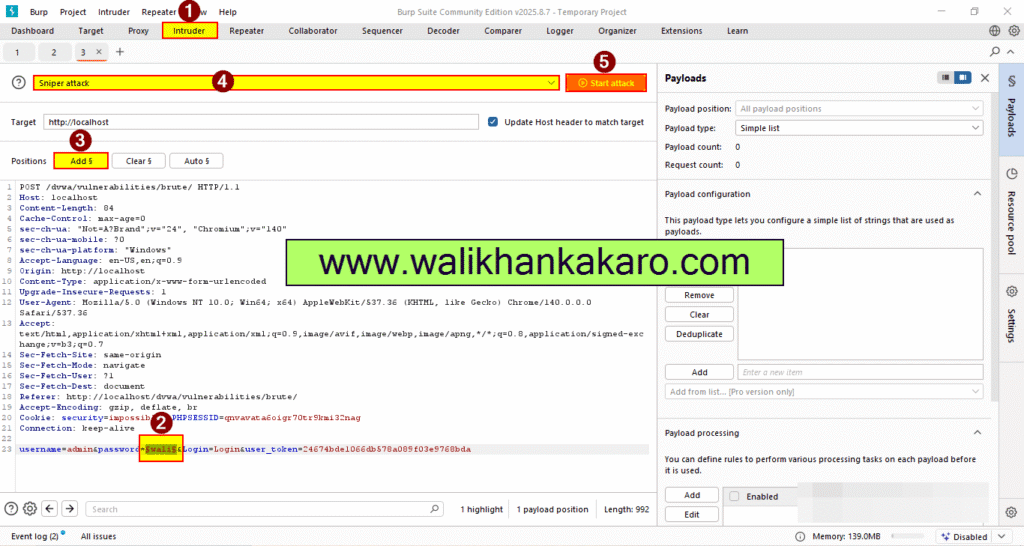
6: Clear the Payload Positions.
7: Select the password and Add$ it.
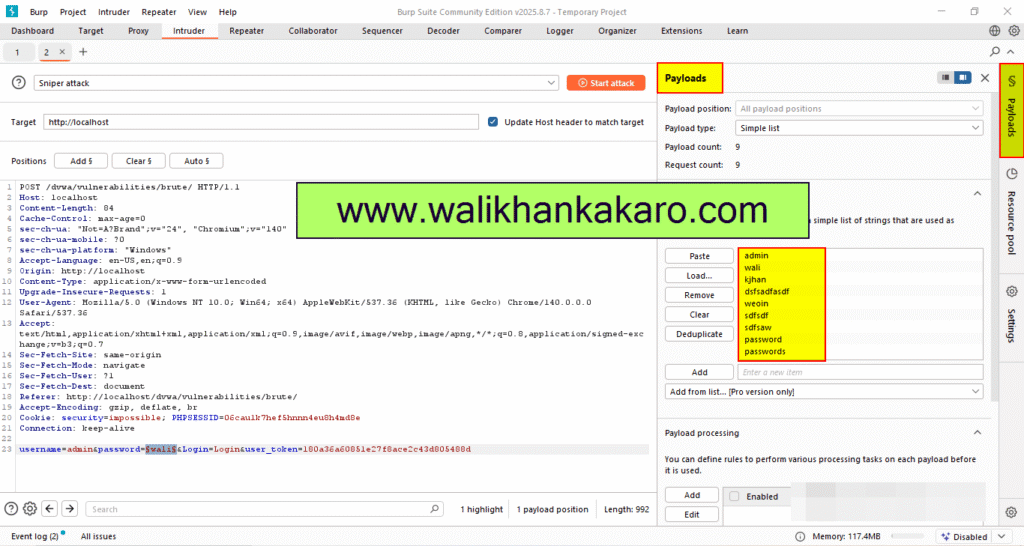
8: Go to the Payloads section.
9: Add the password lists or type the password manually.
10: Change the DVWA Security Level to Low.
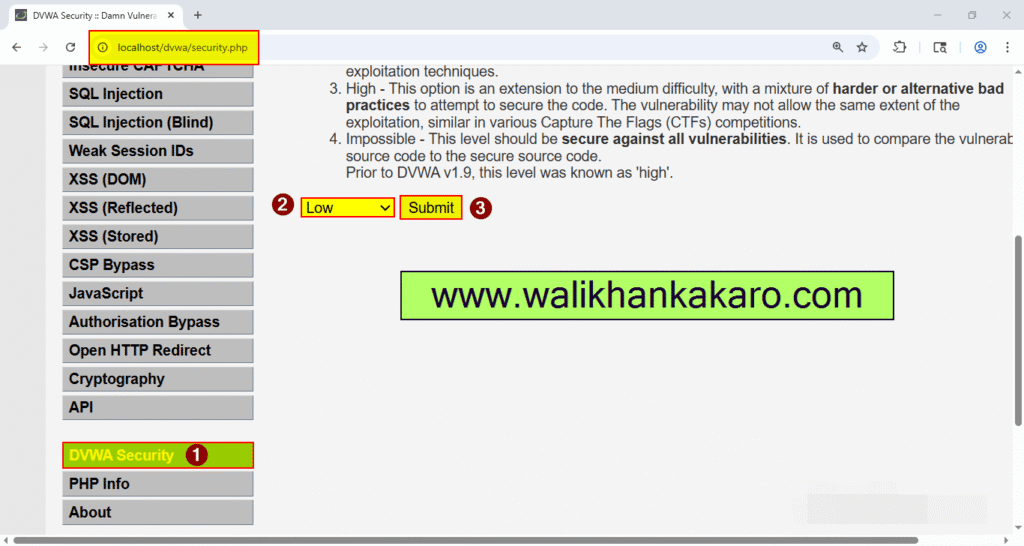
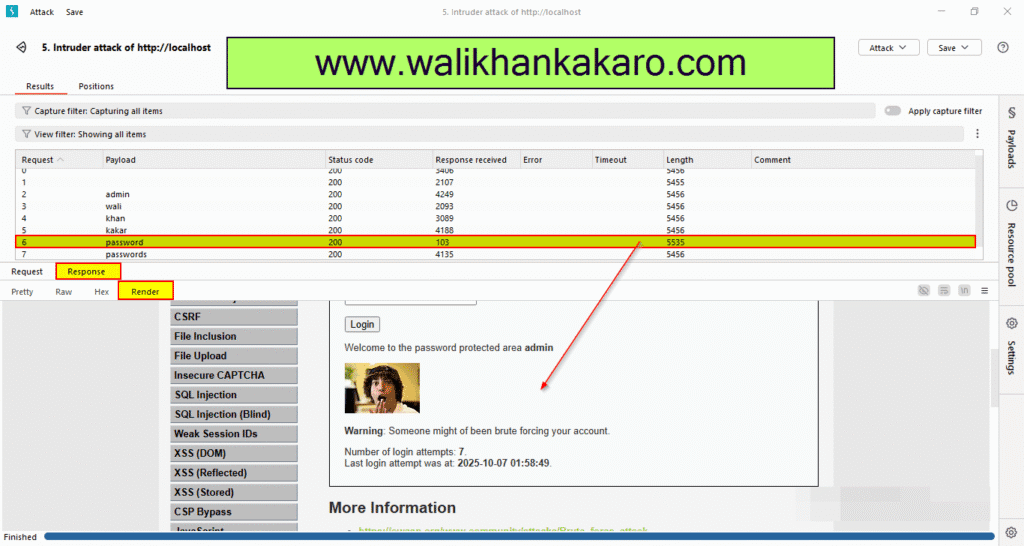
11: Start the Bruce force attack.
12: Here is the Password.