Table of Contents
How to add data into mysql table
1: Open the MySQL Workbench.
2: Go into the walikhankakar Database.
Command: use walikhankakar
3: Insert the Data into a Table.
Code: INSERT INTO users
(id,name,email,password,contact, address,dob,gender,status)
VALUES
(1,”Walikhan”,”walikhan@gmail.com”,”walikhan1234″,”Kakaristan”,”033312569″,”1999-10-10″,”M”,1)
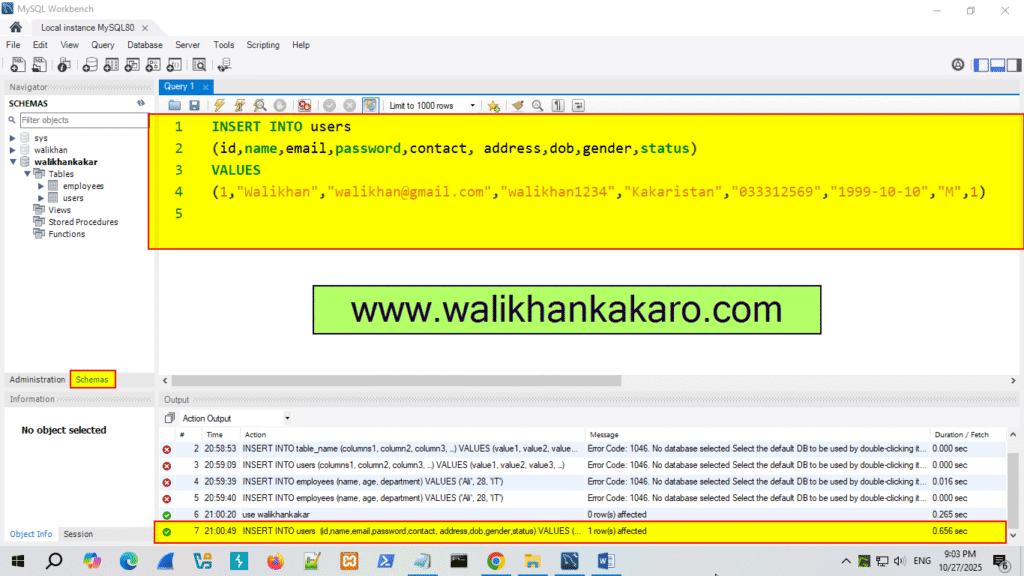
4: Run the command.
Shortcut key: Ctrl + Enter
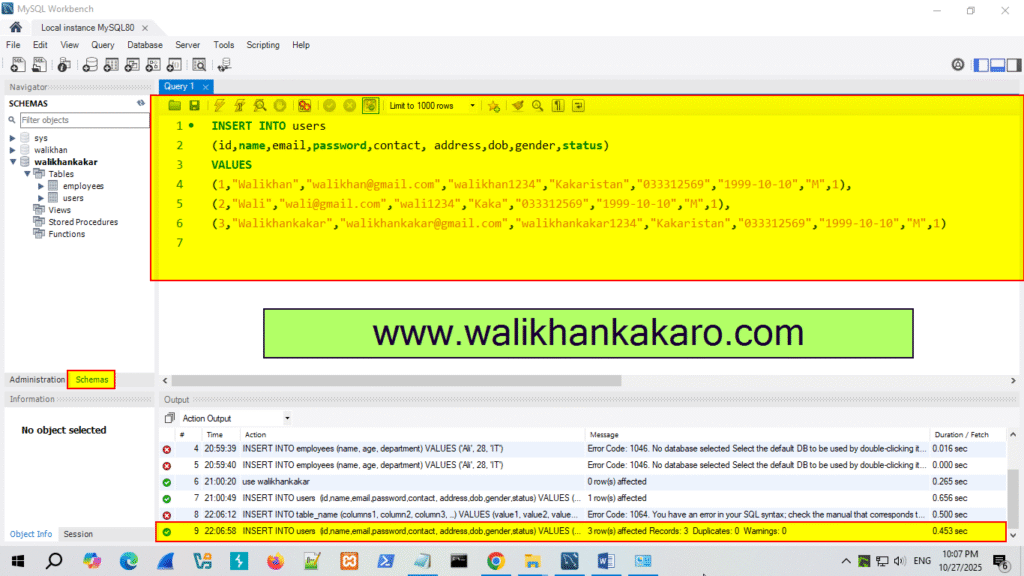
5: Insert the multiple data into the table.
Code: INSERT INTO users
(id,name,email,password,contact, address,dob,gender,status)
VALUES
(1,”Walikhan”,”walikhan@gmail.com”,”walikhan1234″,”Kakaristan”,”033312569″,”1999-10-10″,”M”,1),
(2,”Wali”,”wali@gmail.com”,”wali1234″,”Kaka”,”033312569″,”1999-10-10″,”M”,1),
(3,”Walikhankakar”,”walikhankakar@gmail.com”,”walikhankakar1234″,”Kakaristan”,”033312569″,”1999-10-10″,”M”,1)
6: Execute the command.
Shortcut key: Ctrl + Enter
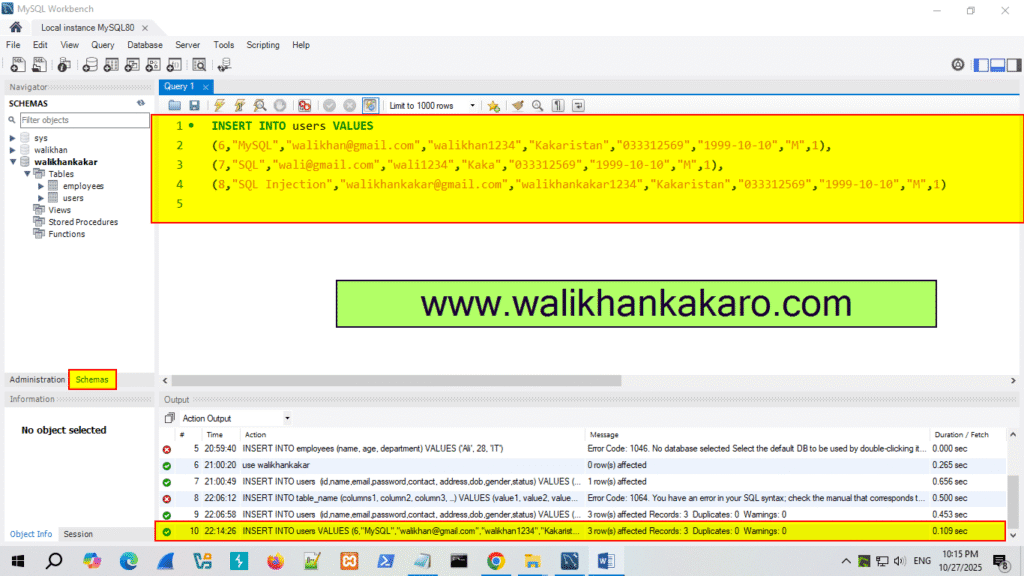
7: You can insert multiple data items also like this.
Code: INSERT INTO users VALUES
(6,”MySQL”,”walikhan@gmail.com”,”walikhan1234″,”Kakaristan”,”033312569″,”1999-10-10″,”M”,1),
(7,”SQL”,”wali@gmail.com”,”wali1234″,”Kaka”,”033312569″,”1999-10-10″,”M”,1),
(8,”SQL Injection”,”walikhankakar@gmail.com”,”walikhankakar1234″,”Kakaristan”,”033312569″,”1999-10-10″,”M”,1)
8: Execute the command.
Shortcut key: Ctrl + Enter