Table of Contents
Install vmware workstation on macbook pro
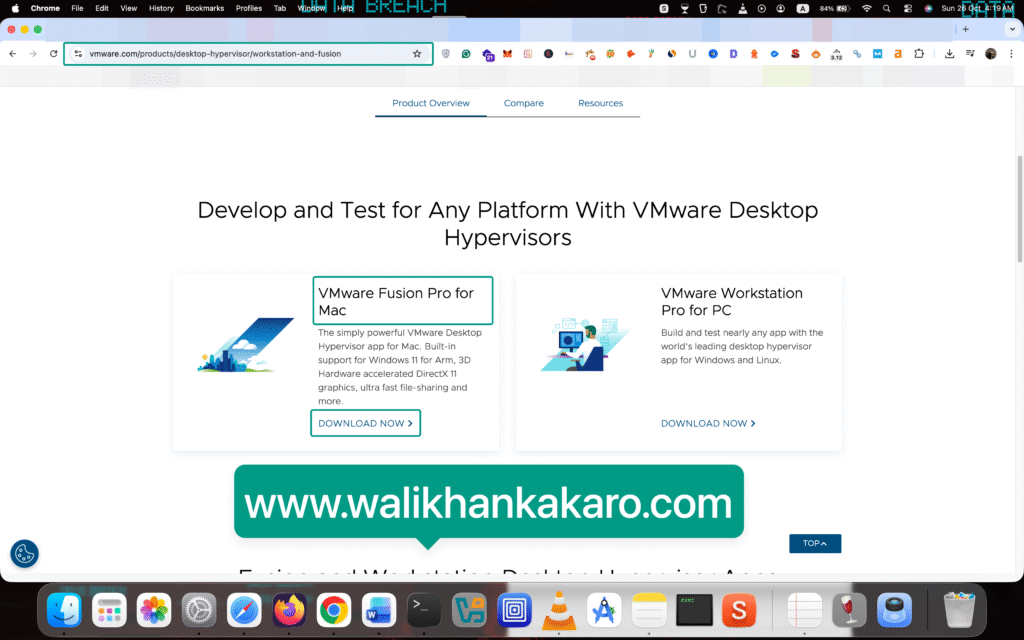
1: Go to the VMware Fusion Pro for Mac.
Website: https://www.vmware.com/products/desktop-hypervisor/workstation-and-fusion
2: Create a Broadcom account.
Website: https://profile.broadcom.com/web/registration

3: Log in to the Broadcom account.
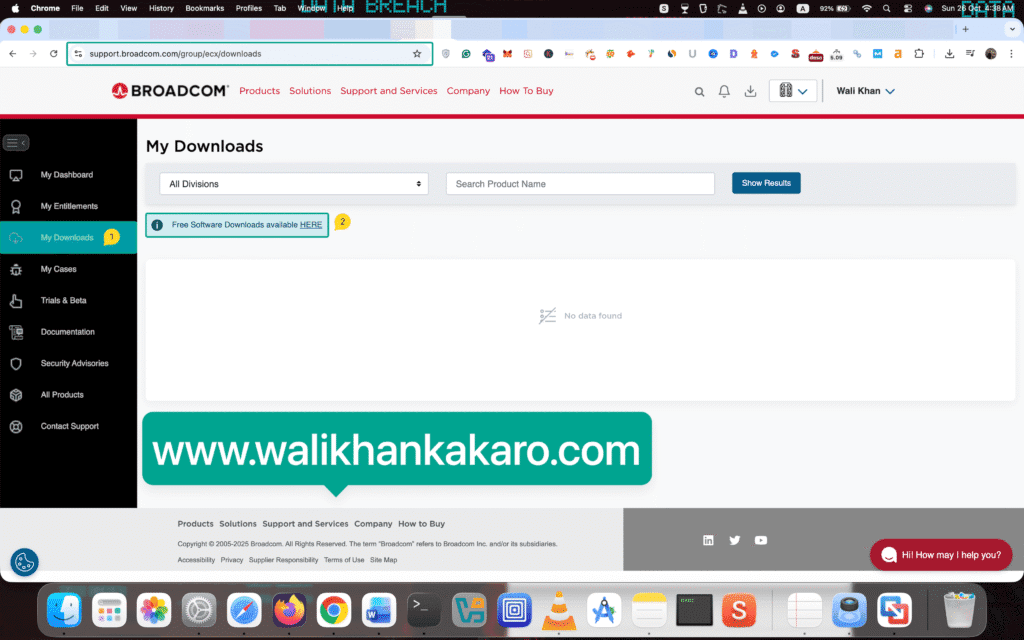
4: Click on the My Downloads in the Broadcom.
5: Click on the Free Software Downloads available HERE.
6: Open the VMWare Fusion.
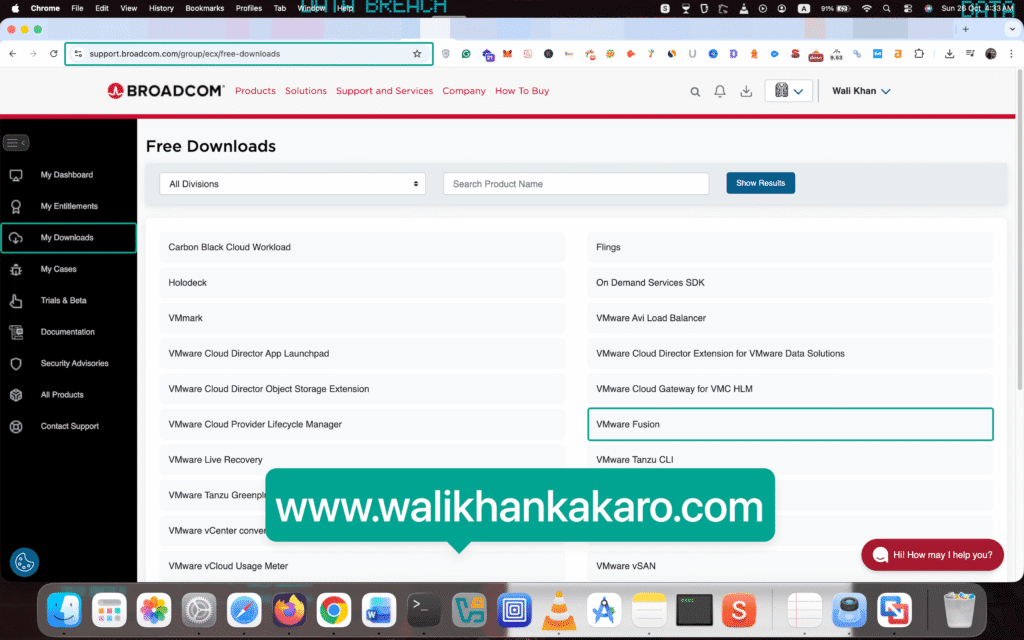
7: Click on the VMware Fusion 13.
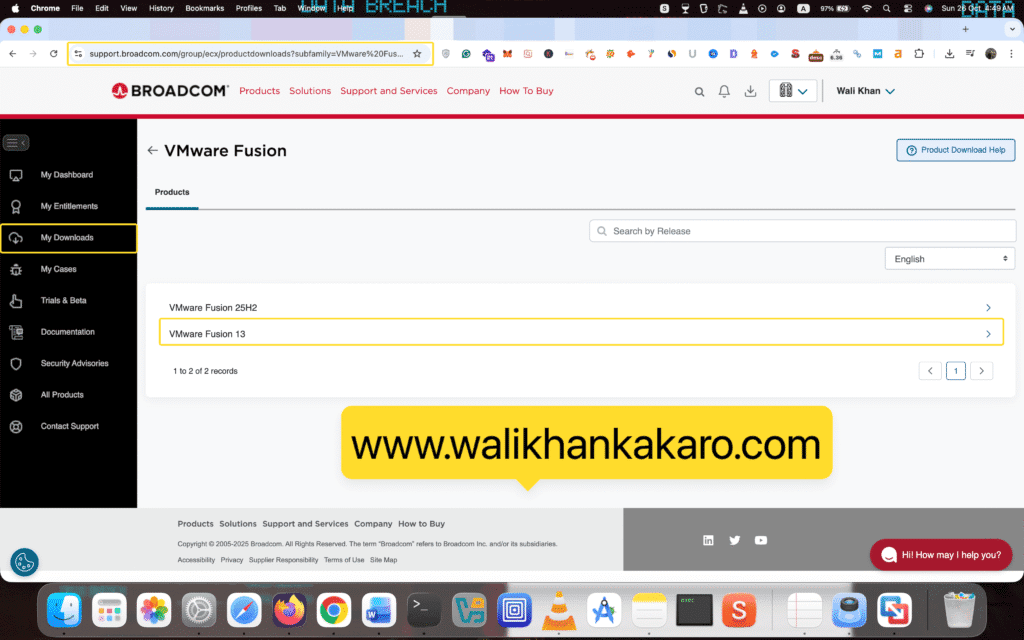
8: Download the VMware Workstation latest version.

9: Click on the Terms and Conditions and tick the I agree to the Terms and Conditions.
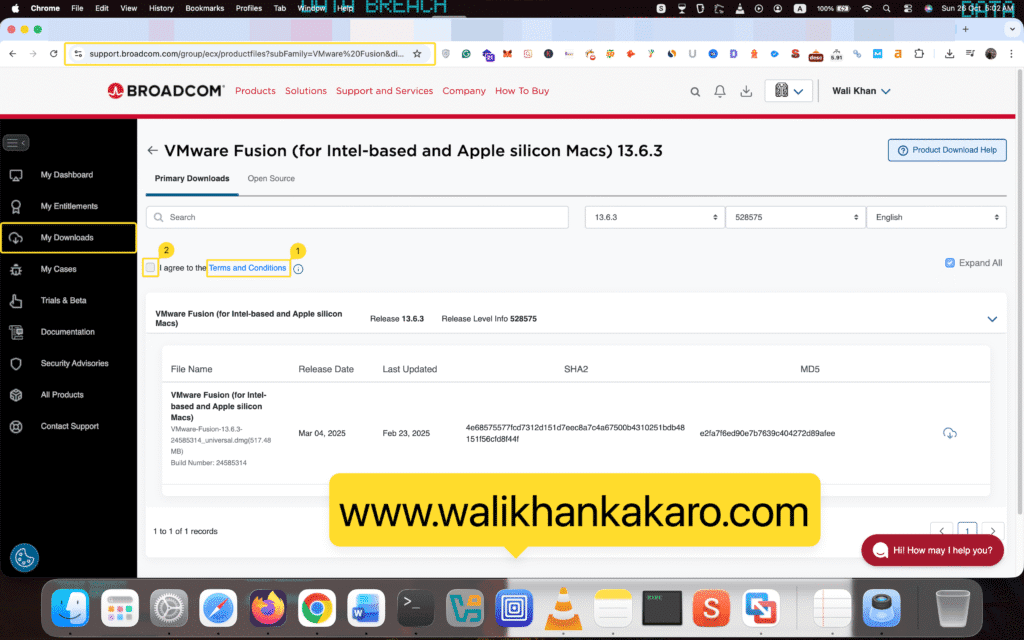
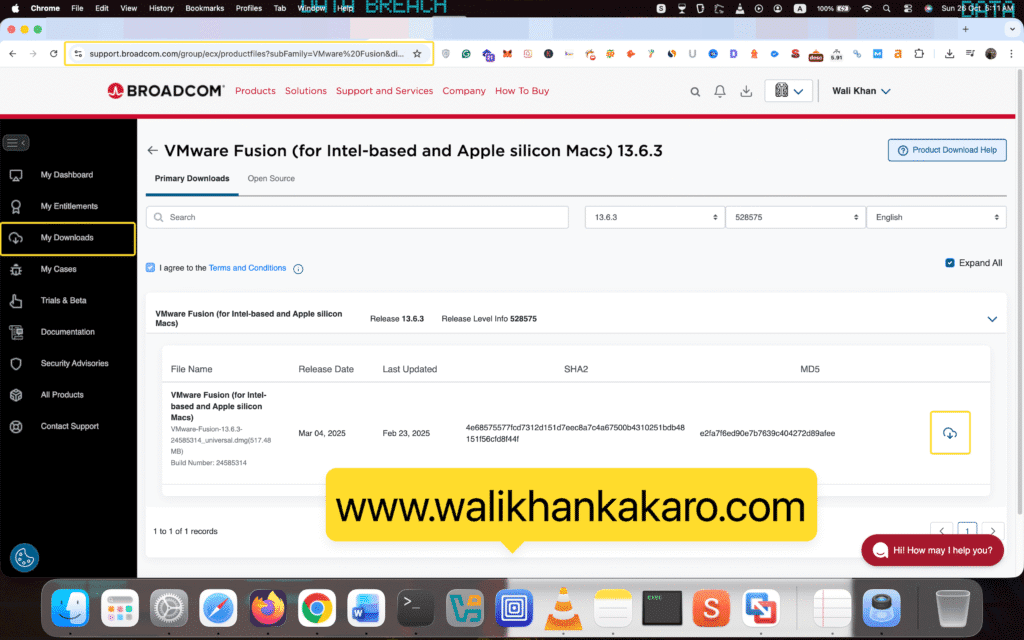
10: Download VMware Fusion.
11: Install VMware Fusion.

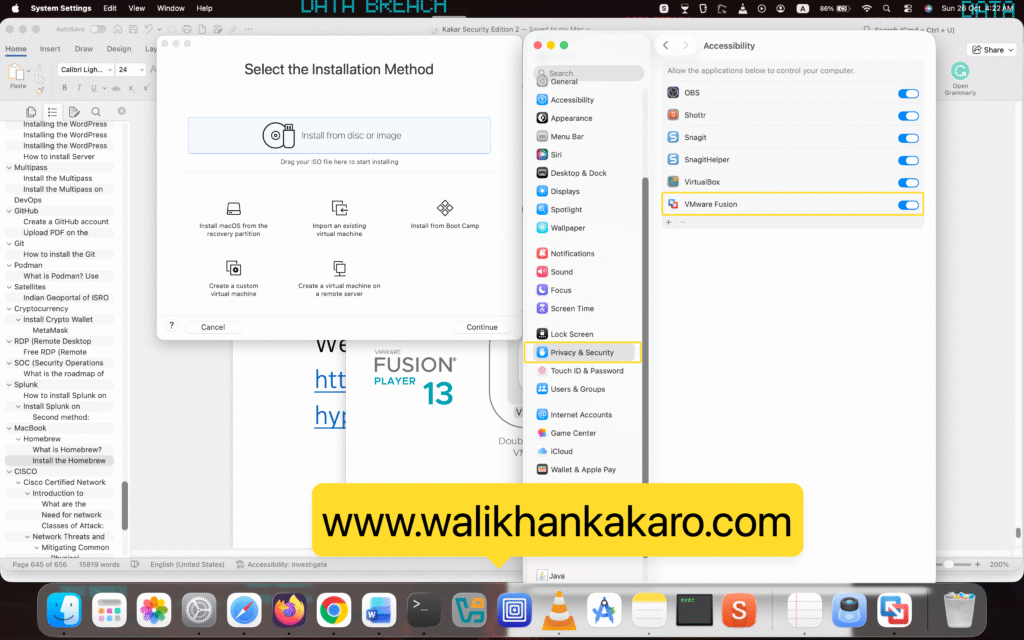
12: Click on the Open System Settings.
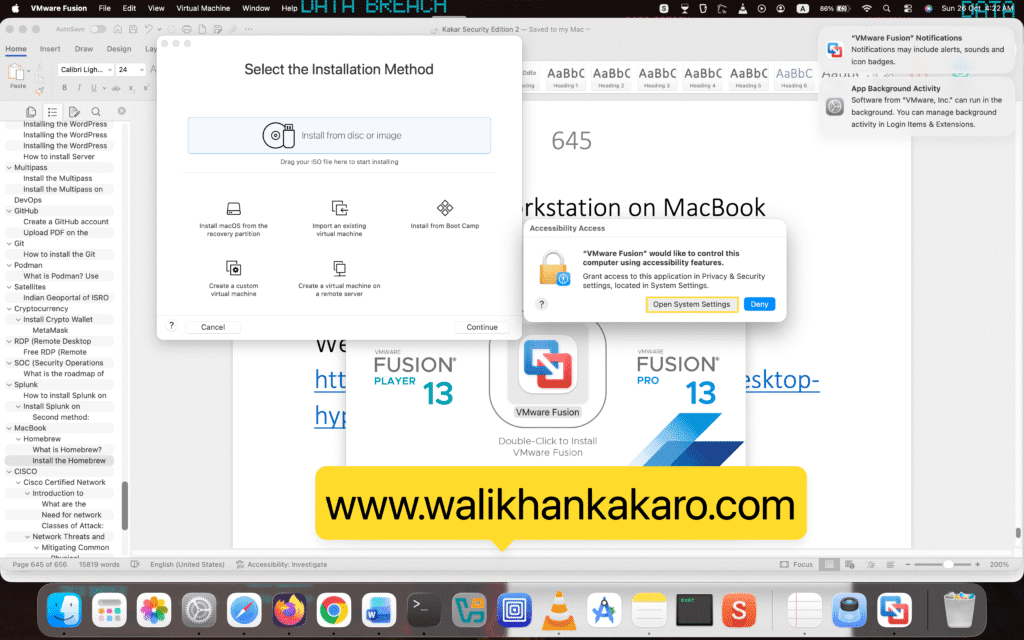
13: Allow the permission to VMware Fusion.