Disable XML-RPC in WordPress
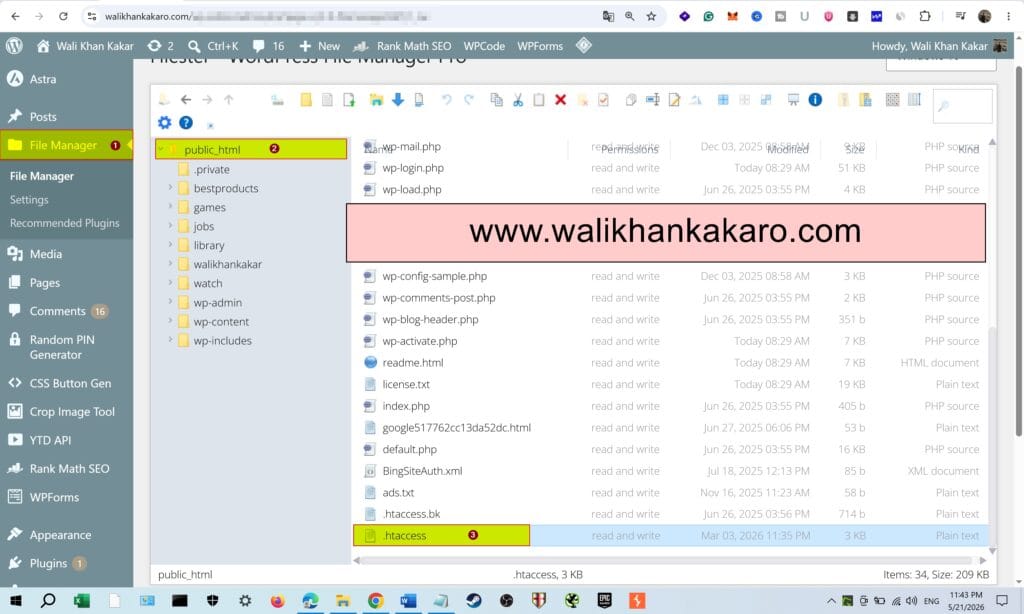
1: Go to File Manager in WordPress or Hosting.
2: Open the .htaccess file in the public_html folder.
3: Paste this code in the .htaccess file at the end.
Code:
<Files xmlrpc.php>
Order Allow,Deny
Deny from all
</Files>
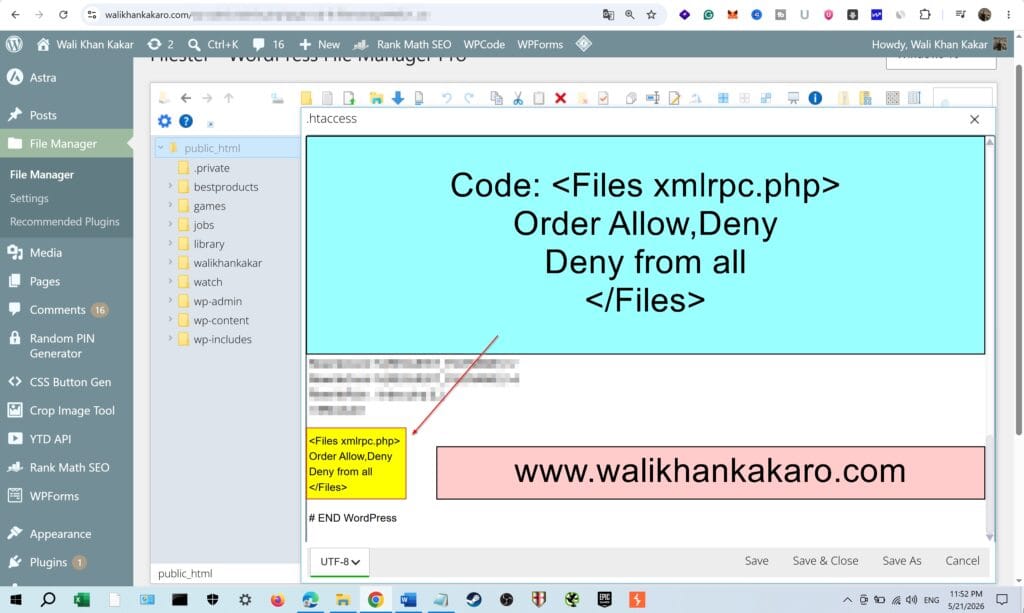
4: Save the file.
5: Now check whether XML-RPC is disabled or not.
Example: https://walikhankakaro.com/xmlrpc.php
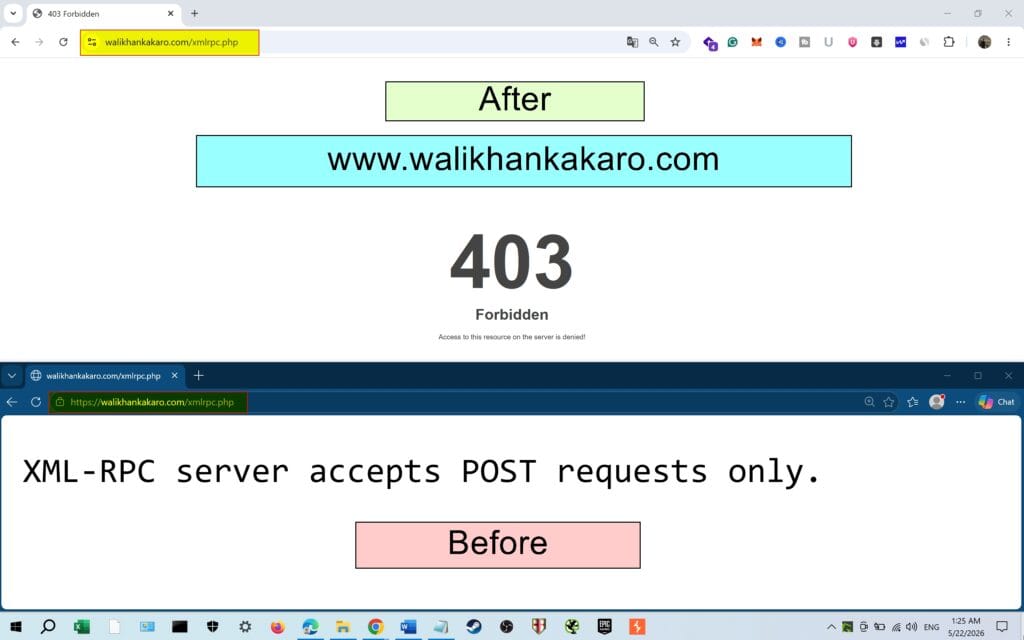
6: Don’t use this to try on another website; always use your personal website or system to test how it works.
