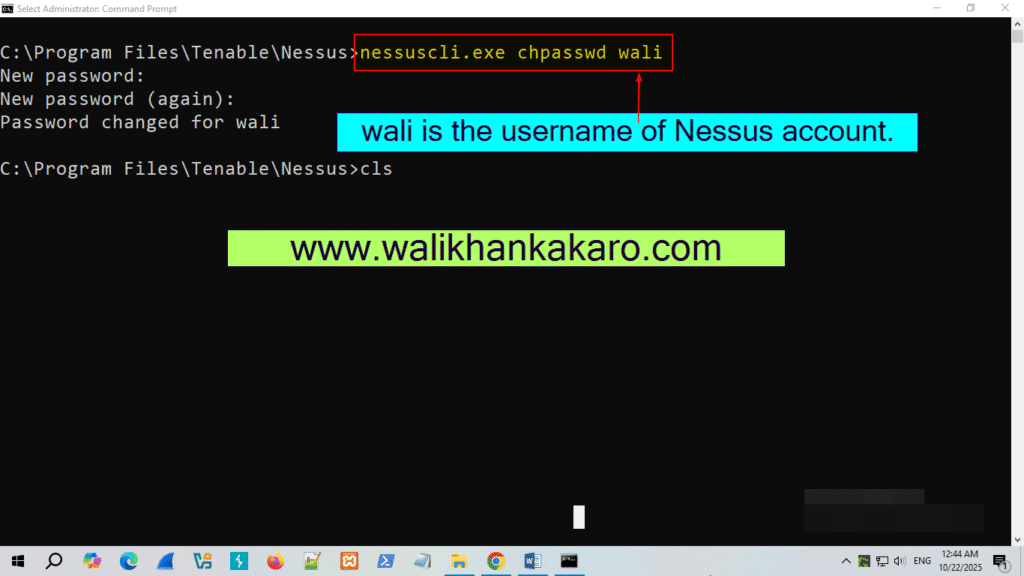
How to find Nessus username and password
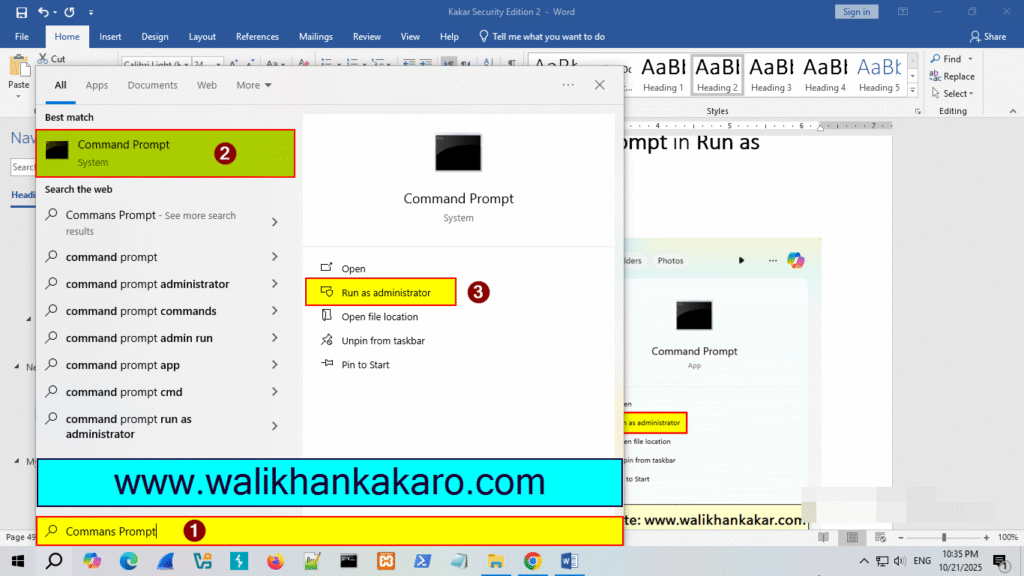
1: Open the Command Prompt in Run as administrator.
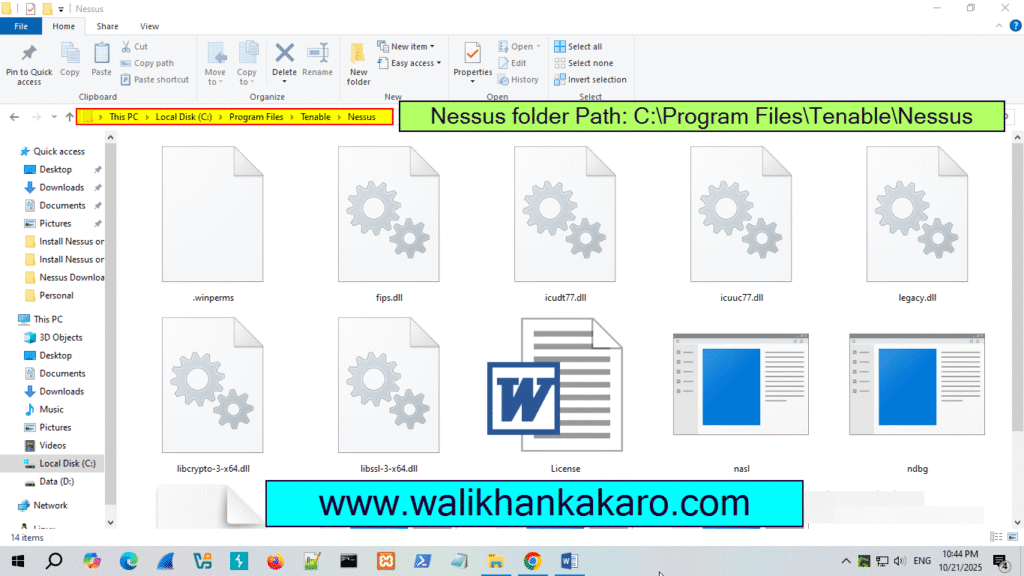
2: Go to the Nessus folder where you installed Nessus.
3: Copy the Nessus folder path.
Path Example: C:\Program Files\Tenable\Nessus
4: Go to the Nessus folder in the Command Prompt.
Command: cd C:\Program Files\Tenable\Nessus
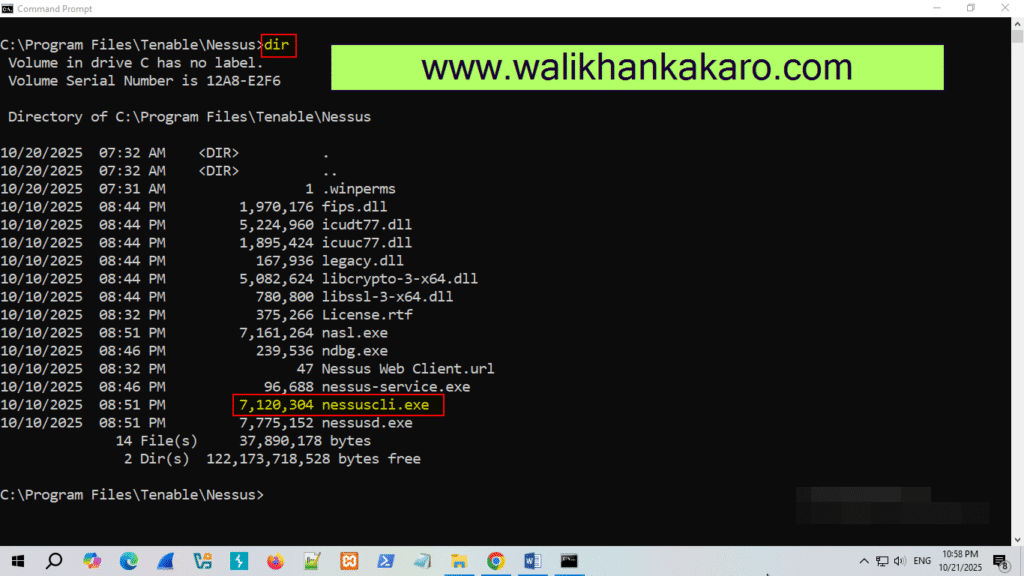
5: Check the Nessus folder directories.
Command: dir
6: Check the Nessus users.
Command: nessuscli.exe
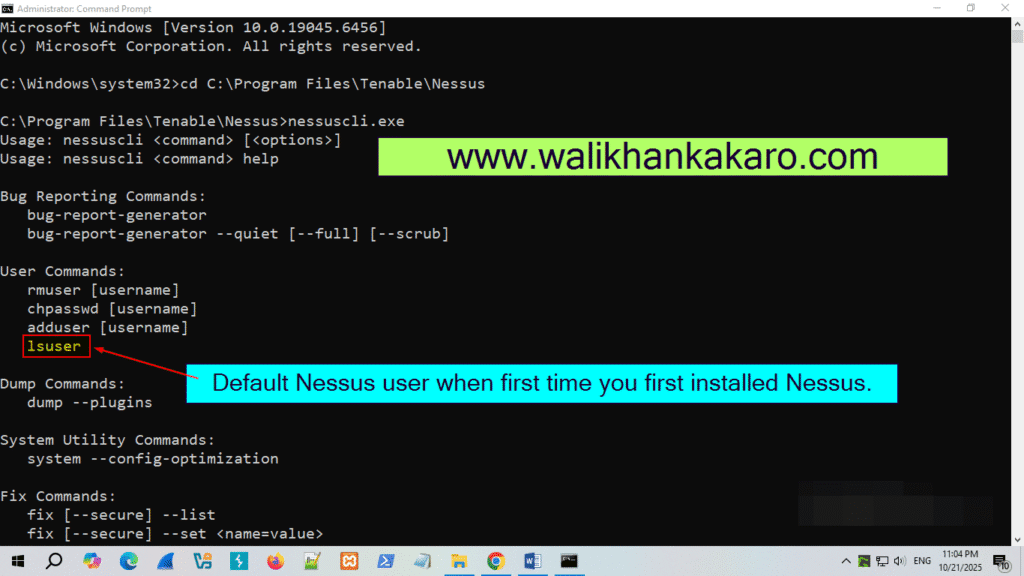
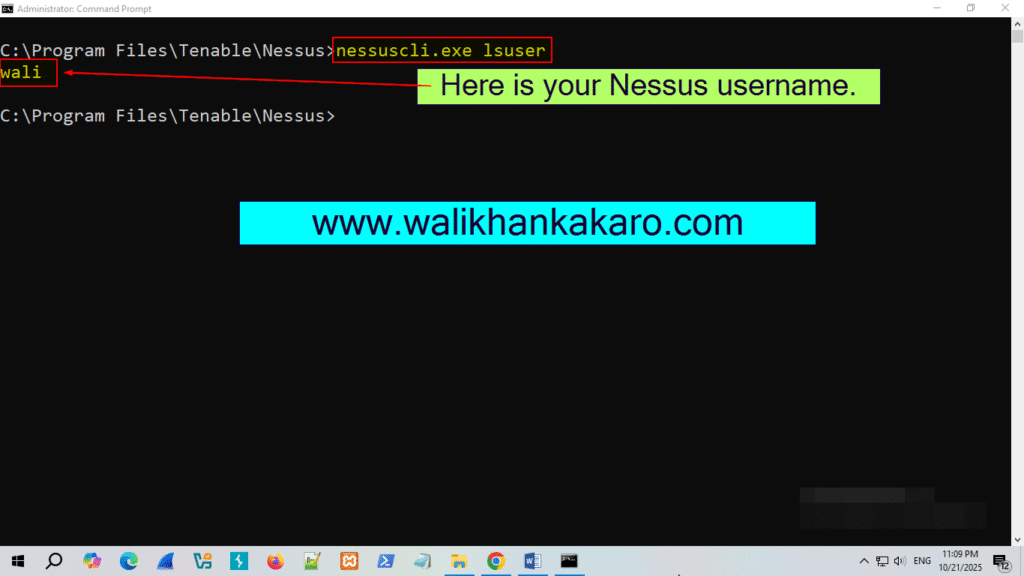
7: Check the 1suser account username.
Command: nessuscli.exe lsuser
Note: wali is the Nessus username.
8: Change the Nessus account password.
Command: nessuscli.exe chpasswd wali
Note: wali is the old username of your Nessus account.