
Best WordPress Gallery plugin
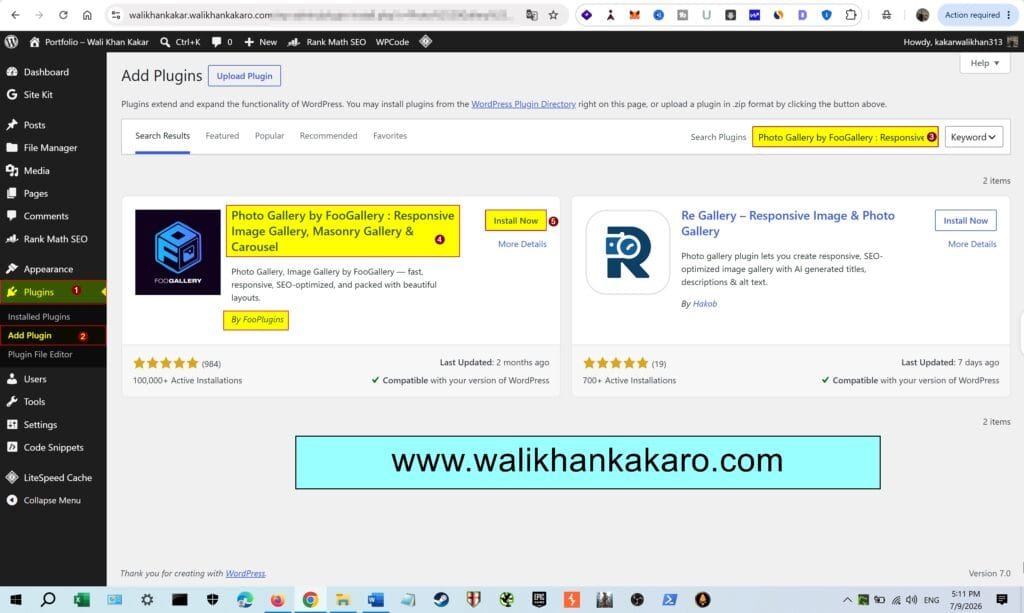
1: Go to the Plugin.
2: Install the Photo Gallery by FooGallery: Responsive Image Gallery, Masonry Gallery & Carousel Plugin.
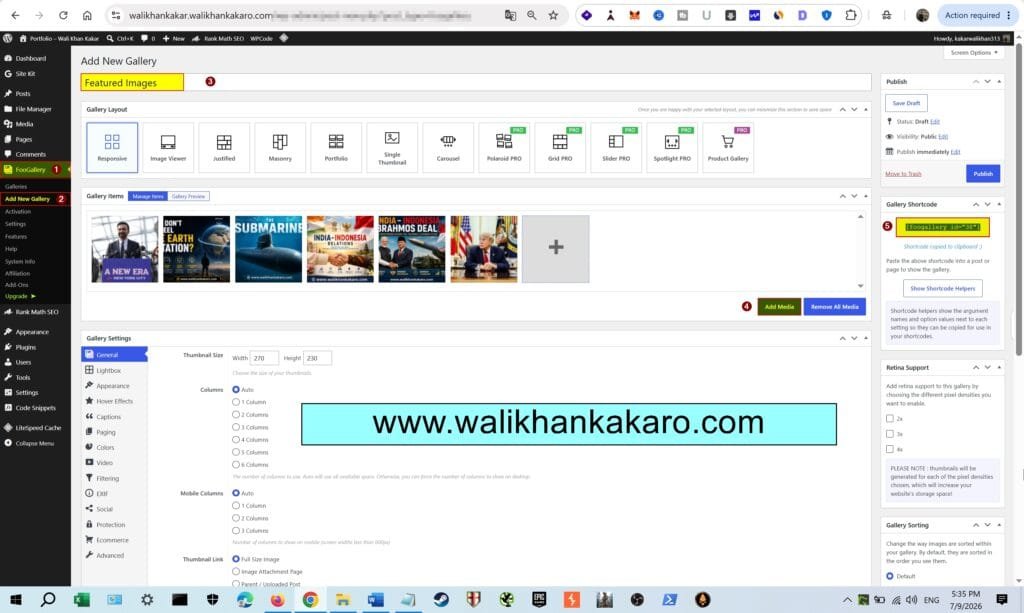
3: Add a new Gallery in the Foo Gallery plugin.
4: Add the Images.
5: Copy the Gallery Short code.
Example: [foogallery id=”38″]
6: Open the post where you want the post image in the Gallery.
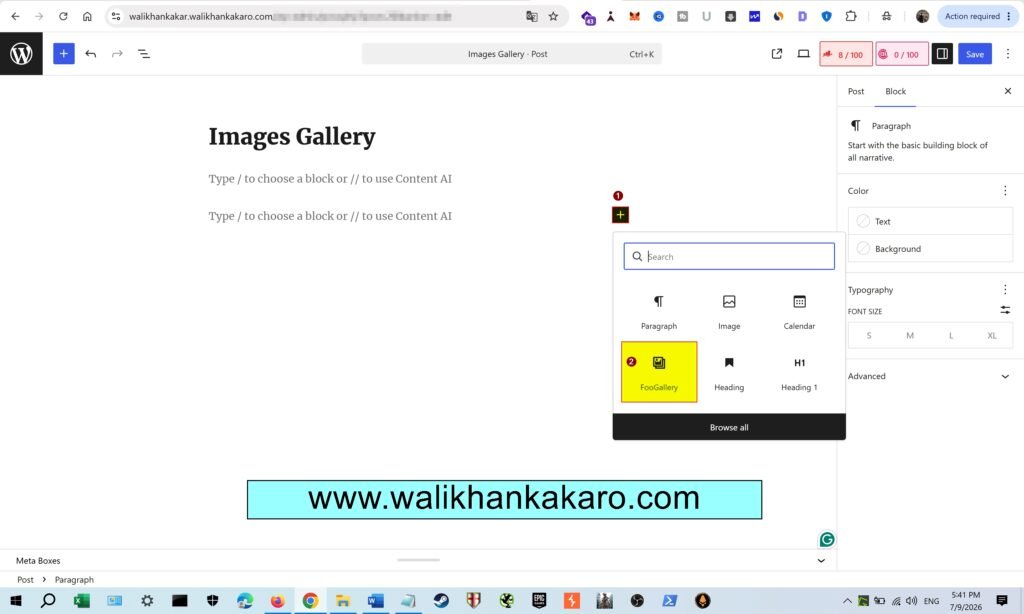
7: Just paste the Gallery Short code into the Images uploaded post simply.
8: Or just add the Foo Gallery into the Images post.
9: Open the Images post checks the Images Gallery.