How to add multiple languages in WordPress

How to add multiple languages in WordPress

How to add multiple languages in WordPress

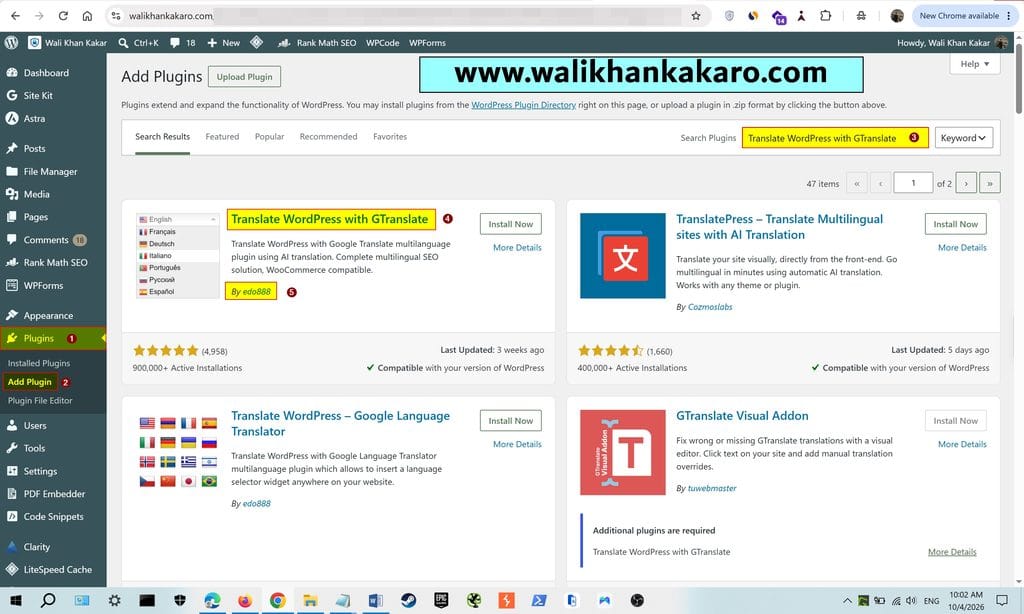
1: Go to Plugins in WordPress.

2: Add a plugin.

3: Install the Translate WordPress with GTranslate plugin.
How to add multiple languages in WordPress 1

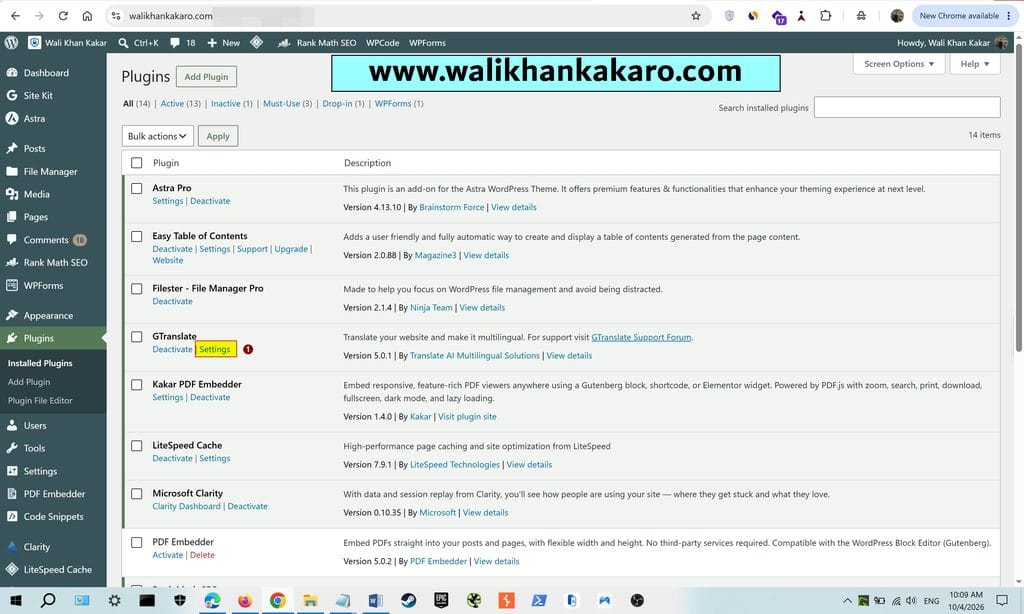
4: Open the GTranslate Settings.

How to add multiple languages in WordPress 2

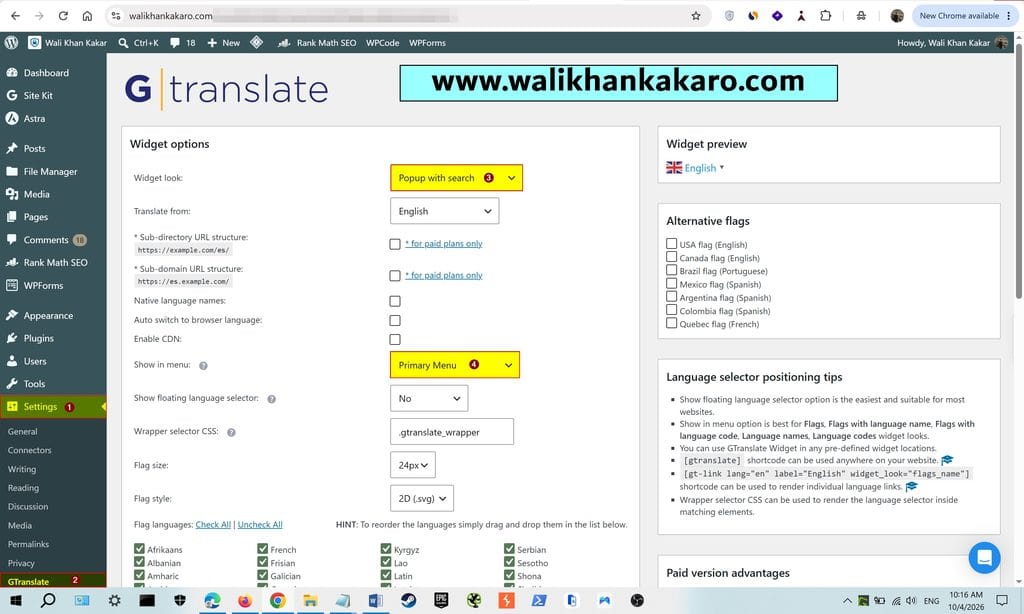
5: Follow the same settings.

How to add multiple languages in WordPress 3

6: Note: Add GTranslate to the Primary Menu.

7: Open Customize.

8: Check whether the Primary Menu is added or not in the Above Header.
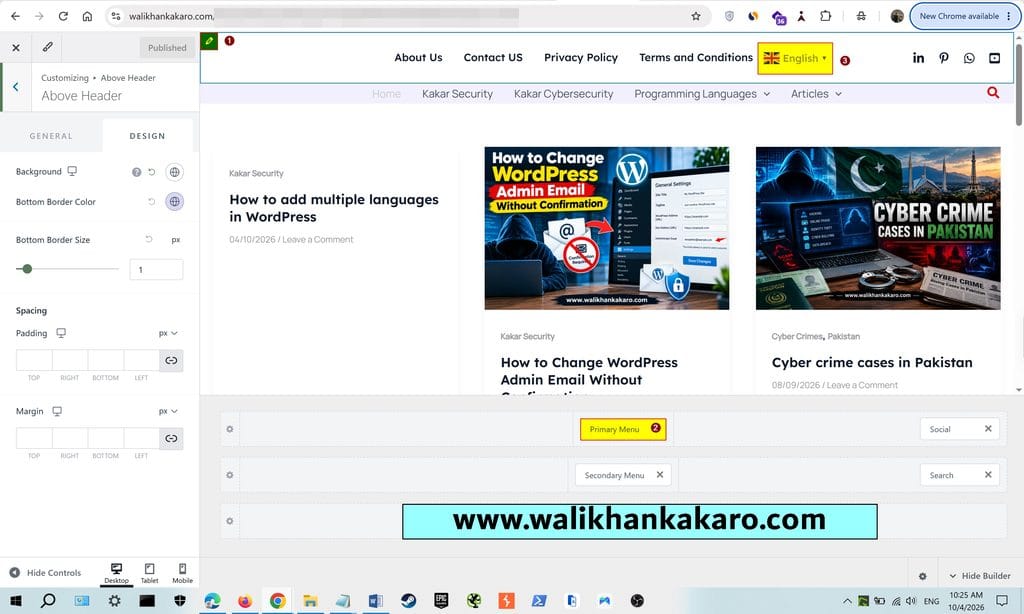
How to add multiple languages in WordPress 4

9: Here, multiple languages are added to the website.

How to add multiple languages in WordPress 5

How to Change WordPress Admin Email Without Confirmation

Leave a Comment

Your email address will not be published. Required fields are marked *

Scroll to Top